Promotional Banner - Delivery in 2-3 hours, Quality & Original, Delivered

IT equipment and Systems in One-ink-tank-printer-with-adf

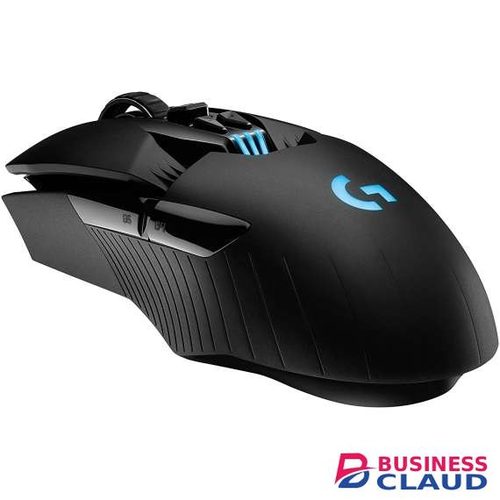
Logitech M720 Triathlon Wireless Mouse

Full-Sized Comfort The full-sized, contoured shape follows the natural curve of your hand, providing perfect palm support, so you can stay productive longer. This right-handed design also features soft rubber coating so you can work comfortably for long hours — at home or at work. Ultra-Precise Navigation Scroll better, track better, and get more done. The dual-mode scrolling lets you switch between speed and precision, so you can fly through long webpages, or go line-by-line with a switch of a button. You can also scroll horizontally with the tilt-wheel—perfect for large spreadsheets, big images, and web pages. High-precision tracking gives you superior cursor control on almost any surface with adjustable dpi. Flexible and Compatible M720 is compatible with computers, laptops and tablets -Windows®, macOS, Chrome OS™, Linux®, and iPadOS, it’s ready to integrate with your work setup, regardless of device or operating system. Connect your way, via either Bluetooth® wireless technology or the wireless Logitech Unifying receiver, which lets you connect up to 6 compatible Logitech peripherals with only one USB receiver. Productivity Your Way Two side buttons plus a hidden thumb button provide extra control right where you need it, making it simpler and faster to get things done. Programmed to go backward and forward on the web, you can customize them to fit your needs on macOS and Windows by downloading Logi Options+ software. Multi-Device Flow Use M720 to work seamlessly between computers, laptops, tablets. Pair your mouse to up to three different devices, and switch between them with the Easy-Switch™ button. Use Flow™ to fly through your tasks: seamlessly move text, images, and files across computers – and operating systems – with a simple copy and paste. Quality You Can Count On The mouse is built using the same high quality standards that have made Logitech the global leader for mice and keyboards. Durable and reliable, M720 also works up to 24 months without changing batteries thanks to the auto-sleep power-saving mode and the on/off switch button. Sensor Technology: High Precision Optical Tracking DPI (Min/Max): 1000± Scroll Wheel: Yes, Rubber Tilt Wheel: Yes, with middle click Number of Buttons: 8 Customization app: Supported by Logi Options+ on Windows and macOS Battery: Up to 24 months Battery Details: 1 x AA (included) Connection Type: 2.4 GHz wireless connection, Bluetooth Low Energy Technology Wireless range: 33 ft (10 m) Easy-Switch, 3 channels Compatibility Windows® 10,11 or later macOS 10.5 or later ChromeOS Linux® kernel 2.6+ iPadOS 13.4 or later Android 5.0 or later Engineered for Intel® Evo™ Laptops In The Box Wireless Mouse Unifying Receiver 1 AA Battery User documentation
A$ 180.30

Kyocera ECOSYS FS-1025 Multi Function Laser Printer

Specification Main Function : Copy, Print, Scan Warm Up Time (from Power On):28 sec or less CPU: ARM926EJ 390MHz Memory : Standard 64MB RAM Paper Capacity (80 g/m²) :price showneets (Cassette) + price showneet (Manual Feed Tray) Paper Size - Front Cassette / Manual Feed Tray:A4, A5, A6, B5, Letter, Legal, Custom (70 x 148 to 216 x 356mm) Paper Weight - Front Cassette / Manual Feed Tray:60 - 220 g/m² Output CapacityMax. price showneets face-down Duplex:Auto Max. Monthly Duty Cycle:price shown pages Power Source AC 220 – 240 V, 50/60 Hz Print Mode:348W Stand-by Mode:7W Temperature : 10℃ – 32.5℃ Humidity :15 to 80% RH Print Mode : 50dB(A) Stand-by Mode:29dB(A) Dimension (W x D x H) (Main Unit):390x361x362 Weight (Main Unit):10.0 kg Print Speed (A4):25 ppm First Print Out Time:7.5 sec or less Resolution :Fast 1200, 600dpi Emulations : Host-based Operating System Supported : Microsoft Windows XP/ Vista/ 7, Window Server 2003/2008, Mac OS x (Print only) Interface:High Speed USB2.0 10/100 Base-TX Copy Speed (A4):25 ppm Copy Size:Max. Legal First Copy Time (Mono/Color):11 sec or less Resolution : 600 x 600 dpi Multiple Copy :1 – 99 Scan Speed (A4) A4 300dpi :20 ppm Original Size:Max. Legal Resolution :600dpi, 400dpi, 300dpi, 200dpi Image Type Mode :Text, Photo, Text + Photo File Format: TIFF, PDF, JPEG, BMP, PNG Transmission Type :Scan to Folder; Scan to Email; TWAIN/WIA (Send to PC connected through USB device) Transmission Method :SuperG3 (Max. 33.6 kbps) Compression Method : MMR, MR, MH One Touch Dial : Up to 3 addresses Group Dial :Up to 20 addresses Address Book :Up to 100 addresses
A$ 799.05

Kyocera TASKalfa 6002i Printer

Overview PRINT COPY SCAN FAX MONOCHROME MULTIFUNCTIONAL FOR A3 FORMAT With output and scan speeds of up to 60 ppm and 180 ipm respectively, the TASKalfa 6002i is a multifunctional device that keeps your productiv- ity flowing. Heavy workloads are dealt with easily thanks to flexible, high-capacity finishing options and a paper capacity of up to price showneets, while its impressive range of digital document management functions is quickly accessible via an intuitive, large colour touch panel. Sensitive documents are protected too thanks to enhanced security functions. Up to 60 pages per minute in A4 format Standard print resolution of price shown x price shown dpi, 2 bit depth (equivalent of price shown x price shown dpi) Flexible paper handling from A6 up to SRA3 and beyond for up to price showneets Productive finishing options including booklet finishing 4 GB RAM, 8 GB SSD + 320 GB HDD memory and storage Highly productive colour scanning Comprehensive support for all state-of-the-art mobile communications Long-life components providing exceptional efficiency and reliability, and less waste Specification GENERAL Technology: KYOCERA Laser Monochrome, HyPAS™ solution platform Touch panel size: 22.8 cm (9 inch) full-colour touch panel display, 15° – 90° swivel mounted Engine speed (pages per minute): Up to 60/30 ppm A4/A3 Resolution: price shown x price shown dpi, 2 bit depth for print quality of price shown dpi equivalent x price shown dpi Warm-up time from power on: Approx. 17 seconds or less Time to first page: Approx. 3.4 sec. or less CPU: Freescale QorIQ T1024 (Dual Core) 1.2 GHz Memory (standard max.): 4 GB RAM, 8 GB SSD + 320 GB HDD Standard interface: 4x USB 2.0 (Hi-Speed), USB Host 2.0, Fast Ethernet 10 BaseT/100 BaseTX/price shown BaseT, slot for optional print server, slot for optional SD card, slot for optional Fax System Dimensions (W x D x H): Main unit: 602 x 665 x 790 mm Weight: Main unit approx. 83 kg Power source: AC 220 V ~ 240 V, 50/60 Hz Power consumption: Printing: 820 W Ready mode: 40 W Sleep mode: 1 W or less Noise (sound pressure level ISO 7779/ISO 9296): Printing: 54.8 dB(A) LpA Ready mode: 34.6 dB(A) LpA Safety standards: GS, TÜV, CE. This unit is manufactured according to ISO 9001 quality standard and ISO 14001 environmental standard. RoHs compatibility PAPER HANDLING All paper capacities quoted are based on paper thickness of max. 0.11 mm. Please use paper recommended by KYOCERA under normal environmental conditions. Input capacity: 150-sheet multipurpose tray, 52 – 300 g/m2 (Banner 135 – 165 g/m2 ), A6R – SRA3 (320 x 450 mm), Tab paper (136 – 256 g/m 2 ), Banner max. 320 x price shown mm; 2x 500-sheet universal paper cassette, 52 – 300 g/m2, upper cassette A6R up to A4R, lower cassette A6R up to SRA3, Max. input capacity with options: price showneets A4 Duplex unit: Duplex as standard supports A6R – SRA3 (320 x 450 mm), 64 – 256 g/m 2 Output capacity: Standard price showneets face-down, max. output capacity price showneets PRINT FUNCTIONS Controller language: PRESCRIBE Emulations: PCL6 (PCL-XL/PCL-5e), KPDL3 (PostScript 3 compatible), PDF Direct Print, XPS Direct Print and OpenXPS Operating systems: All current Windows operating systems, Mac OS X Version 10.8 or higher, UNIX LINUX, as well as other operating systems on request Fonts/barcodes: 93 outline fonts (PCL), 136 fonts (KPDL3), 8 fonts (Windows Vista), 1 Bitmap font, 45 types of one- dimensional barcodes plus two-dimensional barcode (PDF-417) Print features: Encrypted PDF Direct Print, IPP printing, e-mail printing, WSD print, secure printing via SSL, IPsec, SNMPv3, quick copy, proof and hold, Private Print, job storage and job management functionality Mobile printing support: KYOCERA Mobile Print app for iOS and Android, AirPrint, Mopria, NFC, Direct Wi-Fi, Google Cloud Print COPY FUNCTIONS Max. original size: A3 Continuous copying: 1 – 999 Zoom range: 25 – 400% in 1% steps Preset magnification ratios: 5R/5E Digital features: Scan once copy many, electronic sort, 2-in-1 and 4-in-1 function, image repeat copy, page numbering, cover mode, booklet copy, interrupt copy, form overlay, stamp function and skip-blank-page function. Exposure mode: Auto, manual: 16 steps Image adjustments: Text + photo, text, photo, map SCAN FUNCTIONS Functionality: Scan to e-mail, Scan to FTP, Scan to SMB, Scan to USB Host, Scan to box, Network TWAIN, WSD scan Scan speed: (A4, 300 dpi, Dual Scan with DP-7110) b/w 180 images per minute, colour 180 images per minute Scan resolution: 600 x 600 dpi, 400 x 400 dpi, 300 x 300 dpi, 200 x 400 dpi, 200 x 200 dpi, 200 x 100 dpi (24 bit) Max. scan size: A3, Banner up to price shown mm with optional Document processor Original recognition: Text, photo, text + photo, optimised for OCR File types: PDF (high compressive, encrypted, PDF/A), Searchable PDF (option), JPEG, TIFF, XPS, Open XPS FAX FUNCTIONS (OPTIONAL) Compatibility: ITU-T Super G3 Modem speed: Max. 33.6 kbps Transmission speed: Max. 3 seconds (JBIG) Fax resolution: Normal: 200 x 100 dpi Fine: 200 x 200 dpi Superfine: 200 x 400 dpi Ultrafine: 400 x 400 dpi, 600 x 600 dpi Maximum original size: A3, Banner max. price shown mm Compression method: JBIG, MMR, MR, MH Features: Opt. Internet-fax, network faxing, rotate trans- mission, rotate reception, duplex fax reception, memory reception, mailbox, remote diagnostics, dual fax with second fax system 12 CONSUMABLES TK-6325 Toner-Kit: Average continuous toner yield price shown pages in accordance with 6% coverage A4 WT-8500 Waste Toner Bottle: price shown pages (in accordance with 6% coverage) Staple cartridge: SH-10 for DF-7100, DF-7120, BF-price shown-12 for DF-7110
A$ 18,999.60

Canon Pixma G2420 Printer

Overview Tremendous volume, low-cost printing Keep on printing while keeping costs down thanks to huge yields of up to price shown pages (26% more in Economy mode3) from 2 black ink bottles, or price shown pages with a single set of colour bottles.1 High quality at speed Count on quality at speed (9.1 ipm in black / 5 ipm in colour2), with pigment black ink ensuring pin-sharp text and dye colour inks delivering vivid colour photos. Easy maintenance Minimise downtime and meet every deadline with ease, with a user-replaceable maintenance cartridge that ensures dependable, day after day performance. Thoughtful design Refill ink tanks without fuss or effort using handy non-squeeze bottles with unique key type nozzles that ensure each ink bottle can only refill its equivalent tank. Get creative Experiment with diverse media types and sizes including magnetic photo paper, restickable photo paper, or even print your own banners up to 1.2 metres in length. General Specifications Model Numbers PIXMA G2420 Functions Print, Scan & Copy Printer Specifications Print Resolution Up to 4800 x 1200 dpi1 Print Technology 2 FINE Print Head (Black and Colour) Refillable ink tank printer Mono Print Speed approx. 9.1 ipm2 Colour Print Speed approx. 6.0 ipm3 Photo Print Speed Borderless 10x15cm : Approx. 45 seconds4 Borderless Printing Yes A4, LTR, 4" x 6" (10x15cm), 5" x 7" (13x18cm), 7" x 10" (18x25cm), 8" x 10" (20x25cm), Square 3.5” (89 mm x 89 mm), Square 5” (127 mm x 127 mm), Card Size 2.17” x 3.58” (55 x 91 mm)5 Two Sided Printing Manual operation Cartridges and Yields Standard Ink Cartridges GI-41 <PGBK> GI-41 <C> GI-41 <M> GI-41 <Y> Cartridge Yield (Plain Paper) A4 colour documents printing 6 Black: price shown pages (Economy mode price shown pages) 7 Colour: price shown pages * Estimated supplemental yield Cartridge Yield (Photo) 10x15cm colour photo printing 8 Colour: price shown photos * Estimated supplemental yield Paper Support Paper Types Plain Paper Photo Paper Pro Luster (LU-101), Photo Paper Plus Glossy II (PP-201) Matte Photo Paper (MP-101), Glossy Photo Paper ""Everyday Use"" (GP-501) High Resolution Paper (HR-101N), Envelope, Photo Paper Plus Semi-gloss (SG-201), Cardstock (manufactured by Neenah Paper and INKPRESS) Greeting Card (manufactured by Avery and RedRiverPaper) Canon Red Label Superior (WOP111) Canon Oce Office Colour Paper (SAT213) Restickable Photo Paper(RP-101) Magnetic Photo Paper(MG-101) Dark Fabric Iron on Transfers (DF-101), Light Fabric Iron on Transfers (LF-101), Double sided Matte Paper (MP-101D) Maximum Paper Input Rear Tray: Max. price showneets (plain paper) Paper Sizes A4, A5, A6, B5, LTR, LGL, 4" x 6" (10x15cm), 5" x 7" (13x18cm), 7" x 10" (18x25cm), 8" x 10" (20x25cm), Envelopes DL, Envelopes COM10, Envelopes C5, Envelope Monarch Square 3.5” (89 mm x 89 mm), Square 5” (127 mm x 127 mm), Card Size 2.17” x 3.58” (55 x 91 mm) [Custom size] width 55 mm - 216 mm, length 89 mm - 1200 mm Paper Weight Rear Tray: Plain paper: 64 - 105 g/m² Canon specialty paper: max paper weight : approx. 275 g/m² (Photo Paper Plus Glossy II PP-201) Scanner Specifications Scanner Type CIS flatbed photo and document scanner Scanner Resolution (Optical) 600 x 1200 dpi9 Line Scanning Speed Colour: 3.5 ms/line(300dpi) Greyscale: 1.5 ms/line(300dpi)10 Scanning Depth (Input / Output) Colour: RGB each 16bit/8bit Greyscale: 16 bit / 8 bit Maximum Document Size A4/LTR (216 x 297 mm) Copier Specifications Copy Speed sFCOT: Approx. 28 sec sESAT: Approx. 2.6 ipm 11 Multiple Copy 99 copies (max.) Copy Functions Document Copying, Photo Copying, Borderless copy, 2-on-1 and 4-on-1 copy, Frame erase copy, ID copy Copy Zoom 25 - 400% (in 1% increments) Fit to page A5 to A4, B5 to A4, A4 to A5 and A4 to B5 Interface Display Type & Size Full Dot LCD Display Languages 32 Languages Selectable: Japanese, English(mm & inch), German, French, Italian, Spaniprice shown Dutch, Portuguese, Norwegian, Swediprice shown Daniprice shown Finniprice shown Russian, Czech, Hungarian, Poliprice shown Slovene, Turkiprice shown Greek, Simplified Chinese, Traditional Chinese, Korean, Indonesian, Slovakian, Estonian, Latvian, Lithuanian, Ukrainian, Romanian, Bulgarian, Croatian, Vietnamese Interface Hi-Speed USB (USB B Port) Print Applications & Methods Easy-PhotoPrint Editor Software 12 Software Supported Operating Systems Windows 10、Windows 8.1、Windows 7 SP1 Operation can only be guaranteed on a PC with pre-installed Windows 7or later. Printer driver, IJ Printer Assistant Tool are available with following OS. Windows Server 2008 R2 SP1、Windows Server 2012 R2、Windows Server 2016、Windows Server 2019 Chrome OS Mac: macOS 10.12.6, macOS 10.12~macOS 10.15, macOS 11 13 Minimum System Requirements Windows: 1.5GB or more Note: for bundled software installation. The necessary amount of hard disk space required. Display: 1024 x 768 XGA Software Included Printer Driver IJ Printer Assistant Tool Easy-PhotoPrint Editor (download) Physical Features Weight approx. 6.4 kg Dimensions (W x D x H) Approx. 445 x 330 x 167 Acoustic Noise Levels approx. 49.5dB(A)14 Recommended Operating Environment Operating Temperature: 5-35°C Operating Humidity: 10-90%RH (no dew condensation) Power Source AC 100-240V, 50/60Hz Power Consumption Off: Approx. 0.2W Standby (USB connection to PC): Approx. 0.6W Standby (all ports connected): Approx. 0.6W Time to enter Standby mode: 11minutes 2sec Copying: Approx. 18W 15 Typical Electricity Consumption 0.18 kWh
A$ 464.41

Adobe Creative Cloud for Teams Single App

Price is per user per year Your choice of one Single Adobe creative app at the price indicated. such as Photoshop, Illustrator, InDesign, Spark, or Acrobat Pro Design apps Photoshop: Design images and comps with world-class tools. Illustrator: Create vector-based graphics and illustrations for print, web, video and mobile. InDesign: Design professional layouts for print and digital publishing. Acrobat Pro: Create, protect, sign, collaborate on and print PDF documents and forms. Dimension: Easily create high-quality, photorealistic 3D images. InCopy: Enable writers and designers to work simultaneously on the same document. Spark: Easily create stunning social graphics, web pages and short videos. Bridge: Browse, organise and search your photos and design files in one central place. Spark Post: Create stunning social graphics — in seconds. Sketch: Create layouts and draw expressively on your mobile devices. Illustrator Draw: Create freeform vector designs on your mobile device. Capture: Capture inspiration around you and transform it into production-ready assets. Comp: Create design comps using your real assets and fonts. Web & UX apps XD: Design, prototype and share engaging user experiences for web, mobile and more. Dreamweaver: Visually design and develop modern, responsive websites. Animate: Design interactive animations with cutting-edge drawing tools for multiple platforms. Spark Page: Quickly turn words and images into beautiful web pages. Photography apps Photoshop: Edit and composite images with world-class tools. Lightroom: Edit, organise, store and share photos from anywhere. Lightroom Classic: Organise, edit and batch process all your digital photos with a desktop-focused app. Photoshop Mix: Creative mobile image editing. Photoshop Fix: Retouch, restore and share your photos on-the-go. Lightroom for mobile: Edit, organise and share photos anywhere. Video & audio apps Premiere Pro: Edit video with high-performance, industry-leading editing tools. After Effects: Create cinematic motion graphics and visual effects. Audition: Record, mix and restore audio for broadcast, video and film. Character Animator: Turn 2D artwork into live, animated characters. SpeedGrade: Manipulate light and colour in video footage. Media Encoder: Quickly output video files for virtually any screen. Prelude: Streamline the import and logging of video from any video format. Story Plus: Collaborative screenwriting, reporting and scheduling tools. Spark Video: Create compelling video stories in minutes. Premiere Rush: Create and share online videos anywhere. Prelude Live Logger: Work faster with smarter video logging
A$ 1,500.44

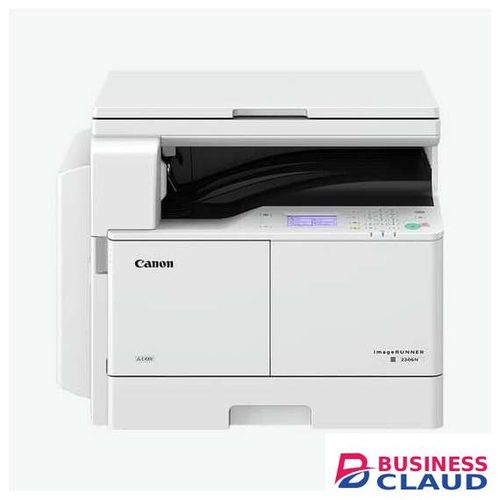
Canon C2206 MFP imageRUNNER Copier

Printing method Monochrome Laser Beam Printing Print Speed (BW) 22 ppm (A4), 11 ppm (A3), 11 ppm (A4R), 13 ppm (A5R) Print Resolution 600 dpi x 600 dpi Page description languages UFR II Lite, PCL 6 (Standard) Double Sided Printing Automatic (Standard) Printing from mobile and cloud A range of software and application solutions is available to enable printing from mobile devices or internet-connected devices and cloud-based services depending on your requirements. Please contact your sales representative for further information. Fonts PCL fonts: 45 Roman Operating System UFR II Lite/PCL 6: Windows 7 / Windows 8.1 / Windows 10 / Windows Server 2008 / Server 2008 R2 / Server 2012 / Server 2012 R2 / Server 2016, MAC OS X (from 10.9.5 or later) Please refer to Businessclaud.com for availability of print solutions for other operating systems and environments including AS/400, UNIX, Linux and Citrix. Some of these solutions are chargeable. Copy Specifications Copy Speed 22 ppm (A4), 11 ppm (A3), 11 ppm (A4R), 13 ppm (A5R) First-Copy-Out Time (A4) Approx. 7.4 seconds or less Copy resolution Reading: 600 dpi x 600 dpi Printing: 600 dpi x 600 dpi Multiple Copies Up to 999 copies Copy Exposure Automatic or Manual (9 Levels) Magnification 25% - 400% (1% Increments) Pre-set Reductions 25%, 50%, 70% Pre-set Enlargements 141%, 200%, 400% Scan Specifications Type Standard Flatbed (Platen) and Duplexing Automatic Document Feeder (DADF) Document-Feeder-Paper-Capacity DADF: price showneets (A4, 80 gsm)/price showneets (A3, 80 gsm) Acceptable origin type, height and weight Platen: Sheet, Book, 3-Dimensional Objects (Height: up to 40 mm, Weight: up to 2kg) Document Feeder (DADF-AY1): Sheet 1-sided/2-sided continuous scanning: 52 to 105 gsm Scanning a single original: 1-sided: 37 to 128 gsm, 2-sided: 52 to 128 gsm Supported media sizes Platen: Max. scanning size 297 x 431.8 mm DADF: A3, B4, A4, A4R, B5, B5R, A5, A5R, Custom size: 148 mm x 128 mm to 297 mm x 432 mm Scan Speed (BW/CL; A4) Single-sided: 23 ipm (300dpi)/12 ipm (300dpi) Double-sided: 8 ipm (300dpi)/4 ipm (300dpi) Scan Resolution BW Scan: 600 x 600 dpi CL Scan: 300 x 600 dpi Pull Scan Specifications MF Scan Utility can be downloaded from Canon Business Product Support Site (Businessclaud.com Supported OS: Windows 7/8.1/10 Windows Server 2008 / Server 2008 R2 / Server 2012 / Server 2012 R2 / Server 2016 / Mac OS X (from 10.9.5 or later) Scan Method Send, MF Scan Utility. Scan to Mobiles and Internet-connected Devices: A range of solutions is available depending on your requirements. Please contact your sales representative for further information. Send Specifications Standard/Optional Standard Destination E-mail (SMTP), SMB Address book Local (104 destinations) Send resolution BW: 300 x 300 dpi (JPEG, TIFF, PDF) CL: 200 x 200 dpi (PDF), 300 x 300 dpi (JPEG, TIFF) File Format Standard: TIFF, JPEG, PDF, Compact PDF Fax Specifications Standard/Optional Standard Maximum Number of Connection Lines 1 Modem Speed Super G3: 33.6 kbps G3: 14.4 kbps Compression Method MH, MR, MMR Resolution 200 x 400 dpi, 200 x 200 dpi, 200 x 100 dpi Sending/Recording Size A3, A4, A5**, B4, B5*, A4R, A5R**, B5R** / A5, B5, A4, B4, A3 *Sent as B4 **Sent as A4 FAX memory Up to 256 pages1 Speed dials Max. 104 destinations Group dials/destinations Max. 50 dials Sequential broadcast Max. 114 addresses Memory backup Yes Fax Features Original Type Selection, Two-sided Original, Density for Scanning, Sender's Name (TTI), Selecting the Telephone Line (when sending fax), TX Report
A$ 1,225.21

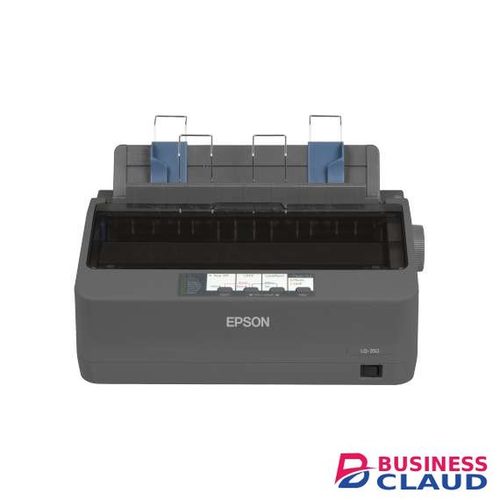
Epson LQ-350 24-Pin 80 Column Dot Matrix Printer

Overview A very economical printer to run, the LQ-350 helps save money with its high ribbon yield of 2.5 million characters and its low power consumption. Using just 1.3W in sleep mode and 23W when powered on, the LQ-350 is very energy efficient. Easy to integrate, the LQ-350 has Parallel, Serial and USB interfaces as standard, and will fit neatly onto desks thanks to its compact design and cable management system. High reliability MTBF of price shown operating hours Power-efficient 1.3W on standby, 22W powered on Economical Ribbon yield of 2.5m characters Easy integration Parallel, Serial and USB interfaces Compact design Fits neatly onto desks Specification Technology Printing Method Impact dot matrix Number of Pins 24 pins Number of columns 80 columns Pins 24 Needles Print Printing Speed HighSpeed-Draft: 10 cpi: 347 chars/s, LQ: 10 cpi: 86 chars/s, Draft: 10 cpi: 260 chars/s Carbon Copies 3 plus one original Printing Resolution 360 x 180 DPI Connectivity Interfaces USB 2.0, RS-232, Bidirectional parallel Paper / Media Handling Document Feed Single sheet rear, Continuous media rear, Paper output rear Paper Formats Sheet Paper (single- and multi-layer), Continuous Paper (single- and multi-layer), Labels (single- and multi-layer), Roll Paper, Envelopes General Power consumption 22 Watt Supply Voltage AC 200 V - 240 V Product dimensions 348‎ x 275 x 154 mm (Width x Depth x Height) Product weight 4,1 kg Supported Temperature Operation 5° C - 35° C Supported Humidity Operation 10% - 80% Compatible Operating Systems Windows 2000, Windows 7, Windows 8, Windows Vista, Windows XP Included Software Epson Status Monitor Mean Time Between Failures 10.000 hours Print Head Life 400 Million Strokes/Wire Noise Operation: 53 dB (A) Memory 128 kB Included Ribbon Yield 3000000 characters Black Draft, 2500000 characters Black LQ Other Features Emulations IBM 2390 Plus, ESC/P2
A$ 526.54

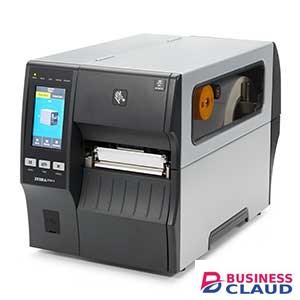
Zebra ZT411 Industrial Label Printer

Overview Configure Your Way With Multiple Connectivity Options The ZT400 comes standard with Ethernet, Serial, USB, dual USB Host and Bluetooth® 4.2. Add the optional dual-band wireless card with 802.11ac Wi-Fi and Bluetooth for blazing fast and reliable wireless connections. Built to Handle a Wide Range of Media and Applications You can count on the ZT400 to print a variety of different label formats on a variety of different media types. The printer is offered in both 4 in. and 6 in. models, with 203 dpi, 300 dpi and 600 dpi* (600 dpi available on 4 in. ZT411 only). Add factory- or field-installable RFID technology to print and encode labels for greater tracking abilities and deeper visibility. Select Zebra’s exclusive ZT411 RFID On-metal Tagging Solution, which is the only dedicated option for printing and encoding thicker RFID labels for metal containers and assets. Dual USB Host Ports For Added Flexibility Dual USB Host ports allow you to directly connect a wide range of USB device types. Use a memory stick to replicate firmware, files and configurations, or easily print and transfer formats. Simplify data entry by simultaneously connecting a scanner and keyboard—with two host ports, there’s no need to plug and unplug peripherals. Designed to Evolve With Your Needs You can customize the ZT400 with a range of media handling options that can be installed in minutes. Two open media slots accommodate additional communication options. And, the robust processing power and memory can support firmware upgrades and new Zebra DNA tools for years to come. Enhance Productivity Sustainably With ZeroLiner With Zebra ZeroLiner Linerless Printing Solution offered with the ZT411 only, you can boost productivity with up to 50% more labels per roll, minimizing downtime from roll changes and eliminating the hassle of peeling backing liners. Embrace sustainability with reduced waste and CO2 emissions, thanks to the elimination of backing liners and reduced material usage. Engineered for minimal adhesive buildup, the linerless ZT411 is specifically designed and tested for use with Zebra ZeroLiner labels and is offered in all dpi options for many applications. The factory-installed linerless option is direct thermal only, further reducing environmental impact by ading unnecessary parts. Alternatively, a linerless upgrade kit is now available for existing ZT411 printers. This field-installable kit allows for an easy conversion of your ZT411 fleet, maintaining versatility to switch to thermal transfer printing as your needs evolve. Easy Media and Ribbon Loading The side-loading supplies path makes loading simpler, faster, and more intuitive. The color-coded media path guides you on how to thread the media and ribbon through the printer, while lighted paths make it easy to see, even in poorly lit environments. Space-Saving Design For an Easier Fit Constructed using a bi-fold door, these printers are designed to easily fit in space-constrained environments. ENERGY STAR® qualified, they save you money throughout their lifecycle. Direct Connection to Your Industrial Ethernet Network With the Network Connect option, you can connect ZT400 printers directly to your Industrial Ethernet network without any additional equipment. This eliminates vulnerability points, improves security and saves man-hours in setup, management and troubleshooting. Pair Devices and Access Information at a Touch With the Print Touch™ app, you can pair ZT400 Series printers to NFC-enabled devices with a simple tap. Dynamic QR codes give you immediate access to the data you need, including Zebra how-to videos and product support. Specification Dimensions (closed) ZT411: 19.5 in. L x 10.6 in. W x 12.75 in. H 495 mm L x 269 mm W x 324 mm H ZT421: 19.5 in. L x 13.25 in. W x 12.75 H 495 mm L x 336 mm W x 324 mm H ZT411 with Full Rewind: 19.7 in. L x 10.8 in. W x 16.7 in. H 500 mm L x 274 mm W x 425 mm H ZT421 with Full Rewind: 19.7 in. L x 13.3 in. W x 16.7 in. H 500 mm L x 338 mm W x 425 mm H Note: Dimensions are for the base model printer. Consult your sales representative for specifics regarding other configurations. Weight ZT411: 36 lbs./16.33 kg ZT421: 40 lbs./18.14 kg ZT411 with Full Rewind: 48.7 lbs./22.09 kg ZT421 with Full Rewind: 55.3 lbs./25.08 kg Printer Specifications Resolution 203 dpi/8 dots per mm 300 dpi/12 dots per mm (optional) 600 dpi/24 dots per mm (optional for ZT411 only) Memory 256 MB SDRAM memory 512 MB on-board linear Flash memory Maximum Print Width ZT411: 4.09 in./104 mm ZT421: 6.6 in./168 mm Maximum Print Speed ZT411: 14 ips/356 mm per second ZT421: 12 ips/305 mm per second Media Sensors Adjustable dual media sensors: transmissive and reflective Print Length ZT411 203 dpi: 157 in./3988 mm 300 dpi: 73 in./1854 mm 600 dpi: 39 in./991 mm ZT421 203 dpi: 102 in./2591 mm 300 dpi: 45 in./1143 mm Media Characteristics Maximum Media Width ZT411 1.00 in./25.4 mm to 4.5 in./114 mm tear/cutter 1.00 in./25.4 mm to 4.25 in./108 mm peel/rewind ZT421 2.00 in./51 mm to 7.0 in./178 mm tear/cutter 2.00 in./51 mm to 6.75 in./171 mm peel/rewind Maximum Media Roll Size 8.0 in./203 mm O.D. on a 3 in./76 mm I.D. core Thickness 0.0023 in./0.058 mm to 0.010 in./0.25 mm Media Types Continuous, die-cut, notch, black-mark, linerless media* *For use only with linerless printer model Ribbon Characteristics Standard Length 1476 ft./450 M Width ZT411: 2.00 in./51 mm to 4.33 in./110 mm ZT421: 2.00 in./51 mm to 6.85 in./174 mm Core 1.0 in./25 mm I.D. Environmental Operating Temperature Thermal transfer: 40º F to 104º F/5º C to 40º C Direct thermal: 32º F to 104º F/0º C to 40º C Storage/Transportation Temperature -40º F to 140º F/-40º C to 60º C Operating Humidity 20% to 85% non-condensing Storage Humidity 5% to 85% non-condensing Programming Languages ZBI 2.0™—Optional powerful programming language that lets printers run stand-alone applications, connect to peripherals, and much more. ZPL and ZPL II™—Zebra Programming Language provides sophisticated label formatting and printer control and is compatible with all Zebra printers. EPL and EPL2™—Eltron™ Programming Language with Line Mode simplifies label formatting and enables format compatibility with legacy applications. (EPL available on 203 dpi models only.) Electrical Auto-detectable (PFC Compliant) 100-240VAC, 50-60Hz, ENERGY STAR qualified Options and Accessories Communication Two open communication slots to add internal cards for: Dual band 802.11ac Wi-Fi and Bluetooth Parallel (bi-directional interface) 10/100 Ethernet Applicator interface Media Handling Rewind: Internally rewinds a full roll of printed labels on 3 in. core, or peels and rewinds liner (factory installed only) Peel: Front-mount, passive peel option Peel: Liner take-up—additional full-roll liner take-up spindle accommodates standard printer base Cutter: Front-mount guillotine cutter and catch tray 1 in. I.D. Core media supply hanger (ZT411 only) Ink-side in ribbon supply (ZT411 only) Linerless* There are two options for linerless capability: Factory-installed linerless model (available as Direct Thermal only) Field installable linerless upgrade kit *Available on ZT411 only RFID Supports tags compatible with: UHF EPC Gen 2 V2.1, ISO/IEC 18000-63 and RAIN RFID protocols Integrated RFID system is user-upgradable in the field and available on both 4 in. and 6 in. models Adaptive Encoding Technology automatically selects optimum encode settings Field installable on-metal RFID kit available* *ZT411 only (not available on the 600 dpi model) Keyboard Display Unit ZKDU™ keyboard display units for stand-alone printing applications Barcode Symbologies Linear Barcodes Code 11, Code 39, Code 93, Code 128 with subsets A/B/C and UCC Case Codes, ISBT-128, UPC-A, UPC-E, EAN-8, EAN-13, UPC and EAN 2- or 5-digit extensions, Plessey, Postnet, Standard 2-of-5, Industrial 2-of-5, Interleaved 2-of-5, Logmars, MSI, Codabar, Planet Code Two Dimensional Barcodes Codablock, PDF417, Code 49, DataMatrix, MaxiCode, QR Code, TLC 39, MicroPDF, RSS-14 (and composite), Aztec Agency Approvals Safety and EMC IEC 62368, Class B, EN 55032, EN 55035, EN 61000-3-2, EN 61000-3-3 Product Markings Including, not limited to, cTUVus, CE, FCC, ICES-003(B), VCCI, RCM, NOM, S-Mark, CCC, EAC, BSMI, KCC, SABS, In-Metro, BIS Fonts and Graphics 16 resident expandable ZPL II bitmap and two resident scalable ZPL fonts Asian and other international scalable and smooth bitmapped fonts Unicode™: For multi-language printing Downloadable objects include graphics, scalable and bitmap fonts, label templates and formats IBM Code Page 850 international character sets are available in the fonts A, B, C, D, E, F, G and 0 through software control Code Page 1250, 1252, 1253, 1254, 1255 Support with font 0 64 MB user-available non-volatile memory storage for downloadable objects 8 MB user-available SDRAM Recommended Services Zebra OneCare™ maintenance plans provide peak performance and device uptime while protecting your critical operations and your printers with defined service levels. For more information go to Businessclaud.com Zebra OneCare Select Comprehensive Coverage, including printheads, normal wear and accidental breakage Priority access 24x7 live technical support and software updates Advance Replacement and Express Shipping (Next Day Device Replacement) Standard Commissioning Online Return Material Authorization (RMA) support Zebra OneCare Essential Comprehensive Coverage, including printheads, normal wear and accidental breakage Priority access 8x5 live technical support and software updates Three-day depot repair turnaround time plus free return ground shipping Online Return Material Authorization (RMA) support Note: Service availability may vary by region
A$ 2,752.28

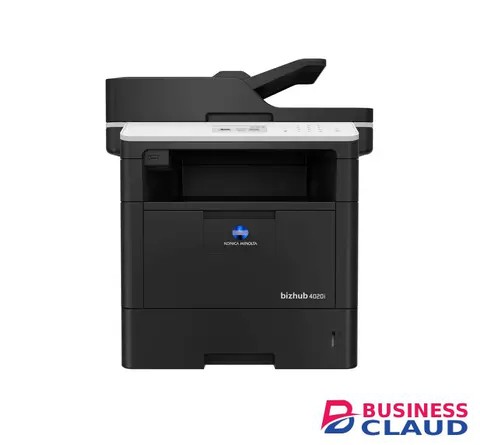
Konica Minolta Bizhub 4020i A4 Mono Multifunctional Printer

Overview Versatile, reliable and high-quality performance 40 ppm in black & white Paper formats: A6-A4 Easy operation and maintenance Compact and solid design Print documents directly from mobile devices Specification Copy Card shot Prints copies of the front and back of the original on the same page, e.g. for passport and other ID Copy features 2in1 and 4in1 copying can be selected Quality adjustments Improves the document quality by editing the density, brightness, etc. Fax Convenient fax distribution Fax destinations can be preconfigured in an addressbook Fax forwarding Forwarding of incoming fax documents by email or to SMB folder instead of printing IP-Fax Sending of fax messages via network between Konica Minolta MFPs; supports colour as well as black & white PC-Fax Direct fax transmission from the PC Print High print resolution For best output quality Mobile Printing Possibility to directly print documents from a mobile device MyTab Print driver customisation Quiet mode Prevents noise disturbance due to reduced noise while printing Scan Scan-to-FTP Sends converted files to an FTP server Scan-to-Me/Home Direct scan to own email address (Me) or SMB folder (Home) based on Active Directory information Support of various scan formats Including TIFF, PDF, Compact PDF, JPEG, etc. TWAIN scan for clever digitisation of documents Security Network security Support for SSL/TLS, HTTPS, 802.1x and IPsec. Secure print Password entering is required at the printer before prints are released
A$ 1,828.94

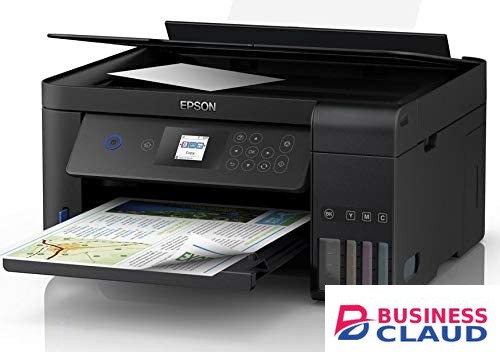
Epson EcoTank L4260 A4 Wi-Fi Duplex All-in-One Ink Tank Printer

Overview Epson Heat-Free Technology Achieve high speed printing at lower power consumption with Epson Heat-Free Technology as no heat is required during the ink ejection process. Superior Savings with Auto-Duplex Auto-duplex function enables double-sided printing, significantly reducing paper cost and paper consumption. Enhanced Productivity and Superb Quality Be impressed by a reliable print speed of up to 10.5 ipm for standard simplex print and 6.0 ipm for automatic duplex print. With Claria ET Standard ink, the L4260 prints black and white documents with razor sharp text that are water and smudge-resistant. Superb Savings & High Page Yield Don’t compromise on cost as you print. With EcoTank L4260, you’ll be able to save costs as each set of bottle inks has an ultra-high yield of price shown for black and price shown pages for colour. Space-saving Design, Spill-free Refilling Compact and sleek, the ink tank design is integrated into the printer to allow the printer to have a small footprint. Additionally, the unique bottle nozzle enables spill-free and error-free refilling. Wi-Fi and Wi-Fi Direct Connectivity Integrated Wi-Fi and Wi-Fi Direct function allows for wireless printing over networks and easy connection to other smart devices. The added advantage of Wi-Fi Direct allows you to connect up to 8 devices to the printer without a router. Epson Connect Enabled Wirelessly print your documents from anywhere in the world with Epson Connect's wide range of features: Epson iPrint Print from and scan directly to your smart device or online cloud storage services. Epson Email Print Print to any Email Print-enabled Epson printer from any device or PC with email access. Remote Print Driver Print to a compatible Epson printer anywhere in the world via the Internet using a PC with Remote Print driver or from mobile devices via the Epson iPrint app. Other mobile solutions: Apple Airprint™ Print directly from your Apple devices. Mopria™ Print Service Conveniently print across different brands of printers from mobile devices running Android OS 4.4 or later. For more information please visit Epson Connect. Epson Smart Panel Turn your mobile device into a high-performance command center. Epson Smart Panel enables you to control your printer from smart phones and tablets so you can print, copy, scan, connect to Wi-Fi and troubleshoot directly through the app. LCD Screen Experience easy setup and PC-less operation with a 1.44" colour LCD panel. Quality That Shines. Value That Lasts. Epson genuine ink bottles are formulated to deliver outstanding high-volume print quality with EcoTank printers. Every bottle is individually sealed to ensure the purity of ink and comes with a smart tip designed for mess-free refills. Choose Epson genuine ink bottles to enjoy lasting quality with your printer and low printing costs. Specification Printer Type: Printer Type: Print, Scan, Copy Printing Technology: Print Method: On-demand inkjet (piezoelectric) Printer Language: ESC/P-R, ESC/P Raster Nozzle Configuration: 180 x 1 nozzles Black, 59 x 1 nozzles per Colour (Cyan, Magenta, Yellow) Maximum Resolution: 5760 x 1440 dpi Automatic 2-sided Printing: Yes (Up to A4) Print Speed: Photo Default - 10 x 15 cm / 4 x 6 " *1: Approx. 92 sec per photo (Borderless) *2 Approx. 69 sec per photo (Border) *2 Draft, A4 (Black / Colour): Up to 33 ppm / 15 ppm*2 ISO 24734, A4 Simplex (Black / Colour): Up to 10.5 ipm / 5.0 ipm*2 ISO 24734, A4 Duplex (Black / Colour): Up to 6.0 ipm / 4.0 ipm*2 First Page Out Time from Ready Mode (Black / Colour): Approx. 10 sec / 16 sec*2 Copying: Maximum Copies from Standalone: 99 copies Reduction / Enlargement: 25 - 400% Maximum Copy Resolution: 600 x 600 dpi Maximum Copy Size: A4, Letter ISO 29183, A4 Simplex Flatbed (Black / Colour): Up to 7.7 ipm / 3.8 ipm Scanning: Scanner Type: Flatbed colour image scanner Sensor Type: CIS Optical Resolution: 1200 x 2400 dpi Maximum Scan Area: 216 x 297 mm Scanner Bit Depth (Colour): 48-bit input, 24-bit output Scanner Bit Depth (Grayscale): 16-bit input, 8-bit output Scanner Bit Depth (Black & White): 16-bit input, 1-bit output Scan Speed: Flatbed (Black / Colour): 200dpi: Up to 11 sec / Up to 28 sec Paper Handling: Number of Paper Trays: 1 Standard Paper Input Capacity: Up to price showneets of Premium Glossy Photo Paper Up to price showneets of A4 Plain paper (80 g/m2) Output Capacity: Up to price showneets of Premium Glossy Photo Paper Up to price showneets of A4 Plain Paper Maximum Paper Size: 215.9 x 1200 mm Paper Sizes: Legal (8.5 x 14"), Indian-Legal (215 x 345 mm), 8.5 x 13", Letter, A4, 16K (195 x 270 mm), B5, A5, B6, A6, Hagaki (100 x 148 mm), 5 x 7", 4 x 6", Envelopes: #10, DL, C6 Print Margin: 0 mm top, left, right, bottom via custom settings in printer driver (except plain paper) *3 Mobile and Cloud Solutions: Epson Connect Features: Epson iPrint, Epson Email Print, Remote Print Driver Other Mobile Solutions: Apple AirPrint, Mopria Print Service, Epson Smart Panel Supported OS and Applications: Operating System Compatibility: Windows XP / XP Professional / Vista / 7 / 8 / 8.1 / 10 Windows Server 2003 / 2008 / 2012 / 2016 / 2019 Only printing functions are supported for Windows Server OS Mac OS X 10.6.8 or later Noise Level: PC Printing/ Premium Glossy Photo Paper Best Photo: Sound Power (Black / Colour) 4.9 / 4.9 B(A), Sound Pressure (Black / Colour) 36 / 36 dB(A) PC Printing / Plain Paper Default*4: Sound Power (Black / Colour) 6.6 / 6.2 B(A), Sound Pressure (Black / Colour) 54 / 49 dB(A) Dimensions and Weight: Dimensions (W x D x H): 375 x 347 x 187 mm Weight: 5.4 kg Consumables: Black Ink Bottle: Page Yield*5: price shown Pages Order Code: 001 (C13T03Y100) Cyan Ink Bottle: Page Yield*5: price shown Pages (Composite Yield) Order Code: 001 (C13T03Y200) Magenta Ink Bottle: Page Yield*5: price shown Pages (Composite Yield) Order Code: 001 (C13T03Y300) Yellow Ink Bottle: Page Yield*5: price shown Pages (Composite Yield) Order Code: 001 (C13T03Y400) Electrical Specifications: Rated Voltage: 220 - 240V Rated Frequency: 50 - 60 Hz Operating: 12.0 W Sleep: 0.7 W Power Off: 0.3 W Standby: 4.3 W Interface: USB: USB 2.0 Network: Wi-Fi IEEE 802.11b/g/n, Wi-Fi Direct Network Protocol: TCP/IPv4, TCP/IPv6 Network Management Protocols: SNMP, HTTP, DHCP, APIPA, PING, DDNS, mDNS, SLP, WSD, LLTD Printer Software: Printer Software: Epson ScanSmart Control Panel: LCD Screen: 1.44" Colour LCD Screen
A$ 683.64

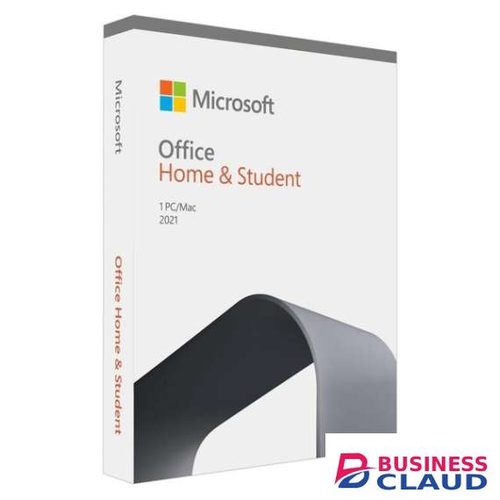
Microsoft Project 2019 Professional (1PC)

Microsoft Project Professional 2019 is here! Stay on top of your tasks and project details with stellar organizational and monitoring features. Retrieve data and report with ease using tools that allow seamless access across different projects. Synchronize and share with your team for effective collaboration and better information flow, all with Microsoft Project Professional 2019. Download and verify directly on the official website Businessclaud.com License for permanent lifetime use on 1PC. This is not a subscription. No monthly or annual recurring fees. Full Version Retail License (Transferable to another PC) GLOBAL License Keys – Valid for any Country/Territory/Region Worldwide Features: Smart setup Fast Startup The Getting Started screen walks you through basic capabilities, like linking tasks and creating a timeline, to help you get up to speed fast. Best-in-class templates Start your project on the right track using one of the many pre-built templates available in Project Standard and on Businessclaud.com. Intuitive search Use the Tell Me search bar-standard across most Office products-to quickly find useful features in Project so you can work more efficiently. Powerful scheduling Familiar charts Project Standard offers familiar tools, like Gantt charts, to help you create schedules with ease and reduce training time. Smart automation Reduce inefficiencies with automated features. Auto-populate start and end dates based on dependencies, and find more efficient ways to build the schedule. Multiple timelines Built-in multiple timelines let you visually represent complex schedules and understand all aspects of a project. Easily share timelines using familiar Office tools like PowerPoint. Intuitive baselines You can use baselines to help decision makers track and compare actual progress to the original project plan. Optimized task management Visualized relationships Task path highlighting in Gantt charts helps you understand relationships among tasks and identify which are most critical to the project’s success. Connected apps Simplified sharing Easily copy project information from Project and paste it into Office applications like PowerPoint and Word, and store project artifacts in OneDrive. Better decision-making Informative reports Built-in reports like Burndown and Resource Overview help you gain insights, communicate information to stakeholders, and achieve results. Office Store And More… Windows 10 Required System requirements: Processor: 1.6 gigahertz (Ghz) or faster processor Operating System: Windows 10 Pro, Home, or Enterprise Memory: 4 GB RAM (64-bit), 2GB RAM (32-bit) Hard Disk Space: 4.0 GB available disk space Display: 1280×768 resolution Graphics: Graphics hardware acceleration requires a DirectX 10 graphics card Browser: The current version of Microsoft Edge, Internet Explorer, Chrome, or Firefox. Additional Requirements: Internet functionality requires Internet connection. Microsoft account required. NOT COMPATIBLE WITH MAC OR OFFICE 365 This item does not contain a disc; it is a digital download only. See steps involved below: You will receive your product key, installation guide, and download link via email. Allow 5 minutes up to 3 hours to receive. Install and enter your 25-digital product key as prompted. Complete the installation via installation guide supplied in the details email. Activate the product online
A$ 852.32

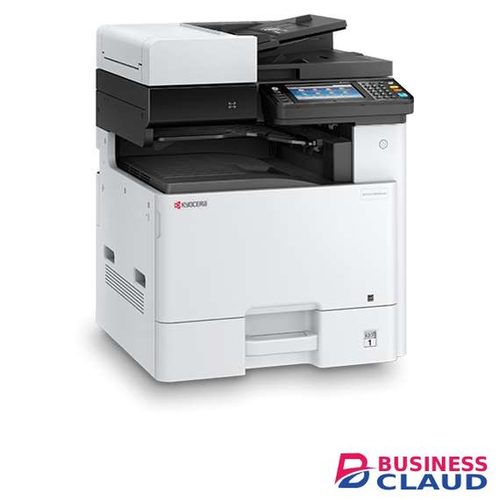
Kyocera ECOSYS M8130cidn Colour Multifunctional Printer

Overview An A4/A3 colour Multi-Functional Product with 30 page per minute productivity (in A4). It’s ideal for small teams due to the machine’s functionality, usability and compact size. Minimum installation and operation requirements. Easy-to-use full-colour touchscreen panel. Long-life components provide exceptional reliability. HyPAS solution platform enables powerful customisations. Engine speed Up to 30/15 pages A4/A3 per minute in colour and b/w Resolution 1200x1200 dpi (print), 600x600 (scan/copy) Dimensions (W x D x H) 590 x 590 x 753 mm (with standard Document Processor) ECOSYS makes your office more sustainable and efficient Kyocera solutions always work with the environment in mind, but the ECOSYS range do this more than any other product on the market. Multi-Functional Products for day-to-day tasks Kyocera provides the industry’s most comprehensive line of award-winning low to high volume devices. A3 and A4 printers for all needs High quality, high reliability and high efficiency are essential. ECOSYS: The sustainable solution Unique to Kyocera, ECOSYS provides long-last and environmentally friendly printers at an economical cost. Specification General type Colour multifunctional for A3 format Engine speed Up to 30/15 pages A4/A3 per minute in colour and b/w Warm-up time Approx. 30 seconds or less Power consumption Sleep-mode: 0.5 W, Stand-by: 70 W, Copying/Printing: 600 W Warranty 1-year warranty as standard Paper Handling Input capacity 100-sheet multi-purpose tray, 60–256 g/m²: A3, A4, A5, A6, B5, Ledger, Letter, Legal, Folio, Custom (98 x 148 to 297 x 432 mm) 500-sheet standard universal paper cassette, 60–256 g/m², A3, A4, A5, B5, Ledger, Letter, Legal, Folio Max. input capacity with options price showneets Duplex unit Duplex as standard supports 60–256 g/m² Max. output capacity Max. price showneets; price showneets face-down (main tray), plus price showneets (standard Job Separator Tray) Document processor Standard reversing document processor: 50-sheet, Simplex scan 45–160 g/m², Duplex scan 50–120 g/m², A3, A4, A5, B5, Letter, Legal, Custom (140x182 to 297x432mm) Print Processor ARM Cortex-A9 Dual core1.2 GHz Fonts 101 outline fonts (PCL 6, KPDL3, Windows Vista), 1 bitmap font, 45 types of one-dimensional barcodes, 1 type of two-dimensional barcode PDF417 under PRESCRIBE (PCL and other barcodes available as options) Features Encrypted PDF Direct Print, IPP printing, e-mail printing, WSD print, secure printing via SSL, IPsec, SNMPv3, quick copy, proof and hold, private print, job storage and job management functionality Applicable OS All current Windows operating systems, MAC OS X Version 10.5 or higher, Unix, Linux as well as other operating systems on request. Copy Max. original size A3/Ledger Continuous copy 1 - 9.999 Zoom range 25 - 400 % in 1% steps Preset magnification ratios 5 Reductions/5 Enlargements Image adjustments Text, photo, text + photo, map, printed document Digital copy features Scan-once-copy-many, electronic sort, 2in1, 4in1, job reserve, priority print, program, auto duplex copy, split copy, continuous scan, auto cassette change (PF-470 or PF-471 is required), copy density control, Prevent Bleed-Through, ID card copy, Skip blank page Scan Scan functionalities Scan-to-Email, Scan-to-FTP, Scan-to-SMB, Scan-to-USB Host, Network TWAIN, WIA, WSD scan Scan speed 50ipm (300dpi, A4, b/w, colour) Scan features Colour scan, integrated address book, Active Directory support, encrypted data transfer, multi send (e-mail, fax, SMB/FTP folder, print) at once, Blank page skip Scan resolution 600, 400, 300, 200 (256 greyscales per colour) Max. scan size A3/Ledger File type TIFF, PDF, PDF/A, JPEG, Open XPS, Encrypted PDF, High compression PDF, PDF/A-1, PDF/A-2 Original recognition Text, Photo, Text + Photo, light text, optimised for OCR Fax Compatibility ITU-T Super G3 Modem speed Max. 33.6 kbps Scanning speed 2.0 seconds or less Transmission speed 33.6 seconds or less Scanning density Normal: 8 dot/mm x 3.85 line/mm, Fine: 8 dot/mm x 7.7 line/mm, Superfine: 8 dot/mm x 15.4 line/mm, Ultrafine: 16 dot/mm x 15.4 line/mm, Halftone: 8 dot/mm x 7.7 line/mm Max. original size A3/Ledger Fax features Network fax, duplex transmission and reception, encrypted transmission and reception, polling transmission and reception, broadcast

A$ 11,009.12