

New
Sale
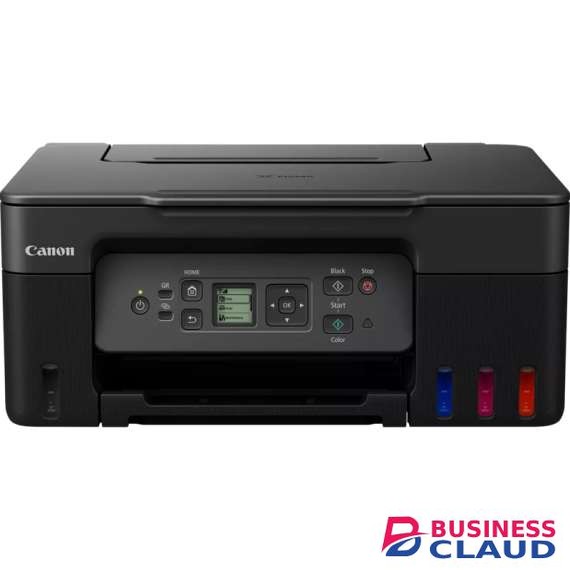
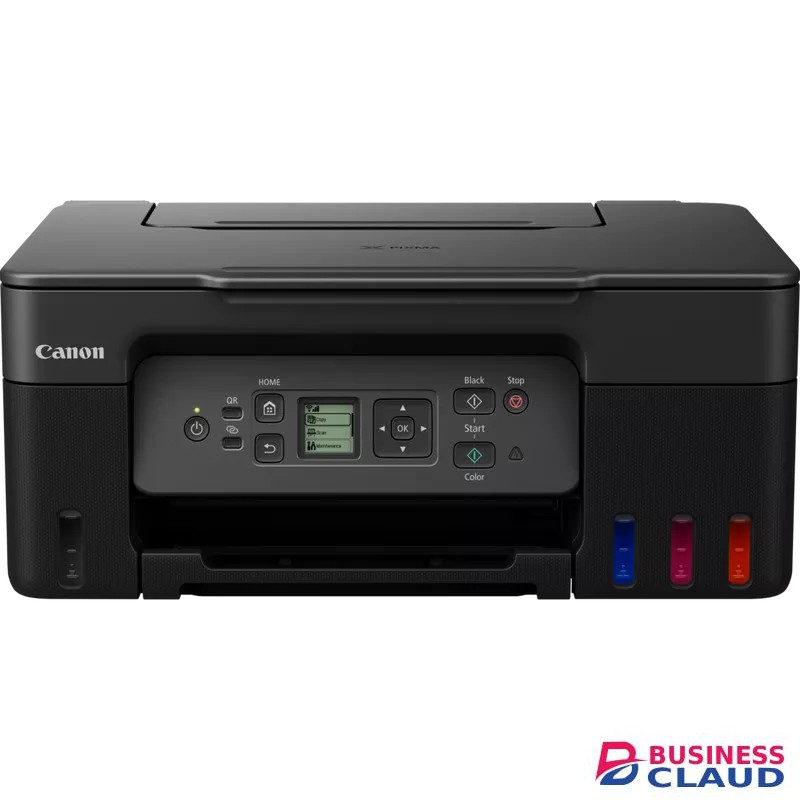
Canon PIXMA G3470 Inkjet A4 Printer
SKU.: BC12774273
✓ In stock
Overview Fast prints. HUGE savings Print, copy and scan documents at home while making huge savings with this fast, affordable, and efficient MegaTank printer with Wi-Fi. With refillable tanks and a single set of ink bottles delivering up to price shown prints1, running costs are refreshingly low compared to cartridge-based printers. Easy at-home maintenance Keep downtime to a minimum thanks to the user-replaceable maintenance cartridge and mechanical ID no-squeeze ink bottles Wireless connectivity Print seamlessly from a range of devices with Wi-Fi connectivity and support for PIXMA Cloud Link, Canon PRINT app, Apple AirPrint and more Work with more media Get creative at home with the ability to print on magnetic and matte photo paper Specification Functions Wi-Fi, Print, Scan & Copy, Cloud Printer Specifications Print Resolution Up to 4800 x 1200 dpi1 Print Technology 2 FINE Print Head (Black and Colour) Refillable ink tank printer Mono Print Speed approx. 11 ipm2 Colour Print Speed approx. 6.0 ipm3 Photo Print Speed Borderless 10x15cm : Approx. 45 seconds4 Borderless Printing Yes A4, B5, LTR, 4" x 6", 5" x 7", 7" x 10", 8" x 10", Square (89 mm x 89 mm), Square(127 mm x 127 mm), Card Size(91 mm x 55 mm) 5 Two Sided Printing Manual operation Cartridges and Yields Standard Ink Cartridges GI-41 GI-41 GI-41 GI-41 Cartridge Yield (Plain Paper) A4 colour documents printing6 Black: price shown pages (Economy mode price shown pages)7 Colour: price shown pages (Economy mode price shown pages)8 * Estimated supplemental yield Cartridge Yield (Photo) 10x15cm colour photo printing9 Colour: price shown photos * Estimated supplemental yield Maintenance Cartridge MC-G04 (User Replaceable) Paper Support Paper Types Plain Paper Red Label Superior 80 g/m2 (WOP111), Canon Oce Office Colour Paper 80 g/m2 (SAT213) Photo Paper Pro Luster (LU-101), Photo Paper Plus Glossy II (PP-201) Matte Photo Paper (MP-101), Glossy Photo Paper "Everyday Use" (GP-501) High Resolution Paper (HR-101N), Envelope, Photo Paper Plus Semi-gloss (SG-201), Greeting Card (manufactured by Avery and RedRiverPaper), Cardstock (manufactured by Neenah Paper and INKPRESS), Restickable Photo Paper(RP-101) Magnetic Photo Paper(MG-101) Dark Fabric Iron on Transfers (DF-101), Light Fabric Iron on Transfers (LF-101), Double sided Matte Paper (MP-101D) Maximum Paper Input Rear Tray: Max. price showneets (plain paper) Paper Sizes A4, A5, A6, B5, LTR, LGL, Executive (184.2 mm x 266.7 mm), Legal(215 mm x 345 mm), 4" x 6", 5" x 7", 7" x 10", 8" x 10", Envelopes DL, Envelopes COM10, Envelopes C5, Square (89 mm x 89 mm), Square (127 mm x 127 mm), Card Size(91 mm x 55 mm) [Custom size] width 55 mm - 216 mm, length 89 mm - 1200 mm Paper Weight Rear Tray: Plain paper: 64 - 105 g/m² Canon specialty paper: max paper weight : approx. 265 g/m2 (Photo Paper Plus Glossy II PP-201) Scanner Specifications Scanner Type CIS flatbed photo and document scanner Scanner Resolution (Optical) 600 x 1200 dpi10 Line Scanning Speed Colour: 3.5 ms/line(300dpi)11 Greyscale: 1.5 ms/line(300dpi)12 Scanning Depth (Input / Output) Colour: RGB each 16bit/8bit Greyscale: 16 bit / 8 bit Maximum Document Size A4/LTR Copier Specifications Copy Speed sFCOT: Approx. 23 sec13 sESAT: Approx. 3.2 ipm14 Copy Quality 3 levels (Economy, Standard, High) Intensity Adjustment 9 positions, Auto intensity (AE copy) Multiple Copy 99 copies (max.) Copy Functions Document Copying, Photo Copying, Borderless copy, 2-on-1 and 4-on-1 copy, Frame erase copy, ID copy Copy Zoom 25 - 400% (in 1% increments) Fit to page A5 to A4, B5 to A4, A4 to A5 and A4 to B5 Interface Display Type & Size 1.35 " / 3.4 cm Square LCD (Monochrome) Connectivity Standard Interface Hi-Speed USB (USB B Port) Wi-Fi: IEEE802.11 b/g/n/15 Wi-Fi Security: WPA-PSK, WPA2-PSK, WEP, Administration password Wireless LAN Frequency Band: 2.4 GHz Wireless PictBridge16 Mobile Apps Canon PRINT app17 Creative Park app18 Easy-PhotoPrint Editor app19 Printer Features Easy-PhotoPrint Editor Software20 PIXMA Cloud Link (print)21 Canon Print Service Plugin (Android)22 Apple AirPrint23 Wireless Direct24 Mopria (Android)25 Smart Assistant & Automation Support Amazon Alexa™26 Google Assistant™27 Software Supported Operating Systems Windows 11, Windows 10、Windows 8.1、Windows 7 SP1 Operation can only be guaranteed on a PC with pre-installed Windows 7or later. Printer driver,IJ Printer Assistant Tool and IJ Network Device Setup Utility are available with following OS. Windows Server 2008 R2 SP1、Windows Server 2012 R2、Windows Server 2016、Windows Server 2019、Windows Server 2022 Mac: OS X 10.14.6 ~ macOS 12 Chrome OS Mobile Operating Systems: iOS®, Android™28 Minimum System Requirements Windows: 2.0GB or more Mac: 1.0GB or more Note: for bundled software installation. The necessary amount of hard disk space required. Display: 1024 x 768 XGA Software Included Printer Driver IJ Printer Assistant Tool Physical Features Weight approx. 6.0 kg Dimensions (W x D x H) Approx. 416 x 337 x 177 mm (with trays retracted) Approx. 416 x 557 x 268 mm (with trays extended) Acoustic Noise Levels approx. 48.5dB(A)29 Recommended Operating Environment Operating Temperature: 5-35°C Operating Humidity: 10-90%RH (no dew condensation) Power Source AC 100-240V, 50/60Hz Power Consumption Off: Approx. 0.1W Standby (USB connection to PC): Approx. 0.6W Standby (all ports connected): Approx. 1.2W Time to enter Standby mode: 11minutes 0sec Copying: Approx. 16W30 Typical Electricity Consumption 0.15 kWh31
You can explore our full range of Computers.
from 1
USh 1,327,500.00
Incl. 0.16% VAT