Promotional Banner - Delivery in 2-3 hours, Quality & Original, Delivered

Computers

New Sale
New Sale

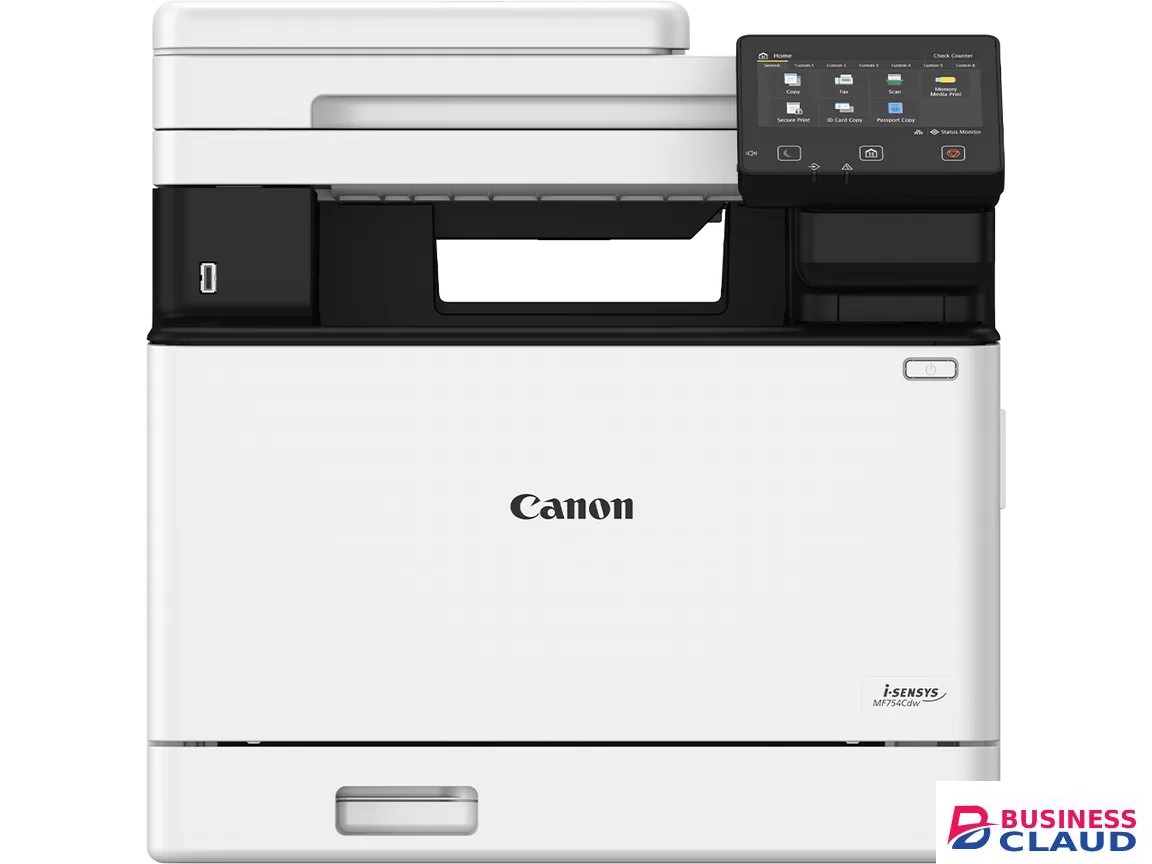
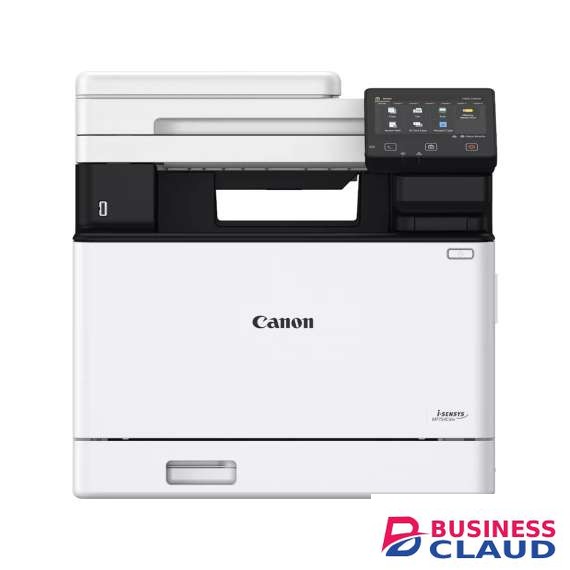
Canon i-SENSYS MF754CDW Laser Multifunction Printer

General Specifications Machine Type Colour Laser All-In-One Available Functions Print, copy, Scan, Fax Print Specifications Print Speed 33ppm Printing Method Colour laser beam printing Print Resolution Up to 1200 x 1200 dpi Warm-up Time Approx. 14 seconds or less from power on First-Print-Out Time Colour approx.: 7.1 seconds or less Mono approx.: 7.1 seconds or less Printer Languages UFRII, PCL 5c1, PCL6, Adobe® PostScript2 Fonts 45 PCL fonts 136 PostScript fonts Print Margins 5 mm-top, bottom, left and right 10 mm-top, bottom, left and right (Envelope) Toner Saver Mode Yes Advanced Printing Features Encrypted Secure Print Secure Print Print from USB memory key (JPEG/TIFF/PDF) Print from Cloud (Dropbox, GoogleDrive, OneDrive)3 (PDF/JPEG) Microsoft Universal Print support iOS: AirPrint, Canon PRINT Business app Android; Mopria certified, Canon Print Service Plug-in, Canon PRINT Business app Copy Specifications Copy Speed Single sided (A4): Up to 33 ppm Double sided (A4): Up to 29 ipm First-Copy-Out Time ADF (A4): Colour Approx. 8.8 seconds or less Mono Approx. 7.6 seconds or less Platen (A4): Colour Approx. 9.4 seconds or less Mono Approx. 8.3 seconds or less Copy Resolution Up to 600 x 600 dpi Copy Modes Text/Photo/Map (Default),Text/Photo/Map (quality), Printed Image, Text Double Sided Copying 2-sided to 2-sided (Automatic) Multiple Copies Up to 999 copies Reduction / Enlargement 25-400% in 1% increments Other Features Frame Erase, Collate, 2 on 1, 4 on 1, ID card copy, Reserved copy Scan Specifications Standard Type Colour Scan Resolution Optical: Up to 600 x 600 dpi Enhanced: Up to 9600 x 9600 dpi Scan Speed Single sided mono: 50ipm (300x300dpi) Single sided colour: 40ipm (300x300dpi) Double sided mono: 100ipm (300x300dpi) Double sided colour: 80ipm (300x300dpi) Single sided mono: 40ipm (300x600dpi) Single sided colour: 20ipm (300x600dpi) Double sided mono: 80ipm (300x600dpi) Double sided colour: 40ipm (300x600dpi) Colour Scanning Depth 24 bit/24 bit (input/output) Greyscales 256 levels Compatibility TWAIN, WIA, ICA Maximum Scan Width 216mm Scan to E-mail TIFF/JPEG/PDF/Compact PDF/Searchable PDF Scan to PC TIFF/JPEG/PDF/Compact PDF/Searchable PDF Scan to USB Memory Key TIFF/JPEG/PDF/Compact PDF/Searchable PDF Scan to FTP TIFF/JPEG/PDF/Compact PDF/Searchable PDF Scan to Cloud TIFF/JPEG/PDF/PNG4 iFAX ITU-T.37 Interface & Software Interface Type USB 2.0 Hi-Speed, 10BASE-T/100BASE-TX/1000Base-T, Wireless 802.11b/g/n, Wireless Direct Connection Operating System Compatibility Windows® 11 / Windows® 10 / Windows® 8.1 / Server® 2022 / Server® 2019 / Server® 2016 / Server® 2012R2 / Server® 2012 Mac OS X version 10.12 & up Linux7 Network Protocol Print: TCP/IP (LPD/Port9100/IPP/IPPS/WSD) Scan: Push Scan: File: FTP (TCP/IP), SMB3.0 (TCP/IP) E-mail/I-Fax: SMTP (send), POP3 (receive) Pull Scan: TCP/IP Management: SNMPv1, SNMPv3 (IPv4,IPv6) Security: TLS1.3, IPSec, IP address filtering, IEEE802.1X, SNMPv3, SSL (HTTPS, IPPS) Security (wireless): Infrastructure Mode: WEP(64/128 bit), WPA-PSK(TKIP/AES), WPA2-PSK(TKIP/AES), WPA-EAP(AES), WPA2-EAP(AES) Access Point Mode: WPA2-PSK(AES) Software and Printer Management MF Scan Utility, Remote User Interface (RUI), Department ID Management, Toner Status Tool, iW Enterprise Management Console: Server-based software for centralised management of a fleet of devices eMaintenance: embedded RDS allows remote eMaintenance services such as meter capture, automatic consumables management and remote diagnostics. Application Library Consumables Cartridges Cartridge 069 Black (price shown pages*)** Cartridge 069H Black (price shown pages*)** Cartridge 069 Cyan (price shown pages*)** Cartridge 069H Cyan (price shown pages*)** Cartridge 069 Magenta (price shown pages*)** Cartridge 069H Magenta (price shown pages*)** Cartridge 069 Yellow (price shown pages*)** Cartridge 069H Yellow (price shown pages*)** *Based on ISO/IEC 19798 **Printer ships with Black: price shown pages, C/M/Y: price shown pages starter cartridges
from 1 USh 4,141,800.00 Incl. 0.16% VAT
New Sale

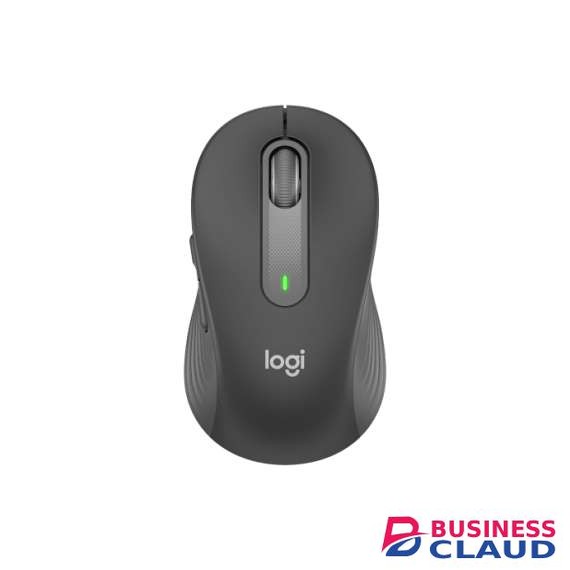
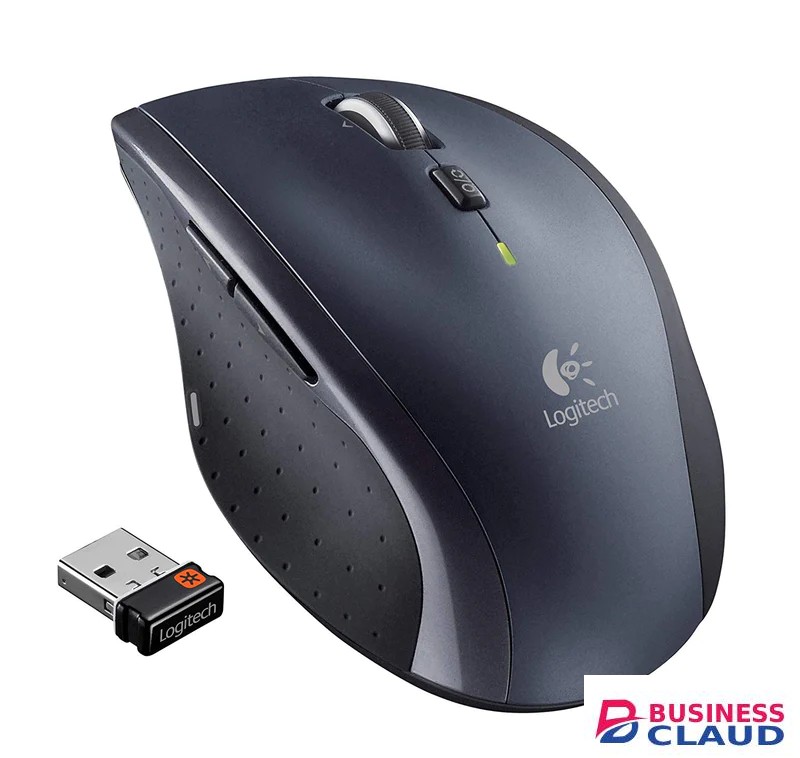
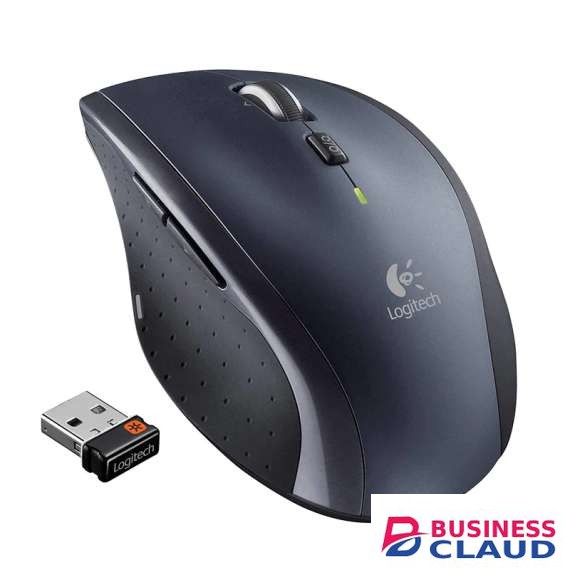
Logitech Signature M650 Wireless Mouse

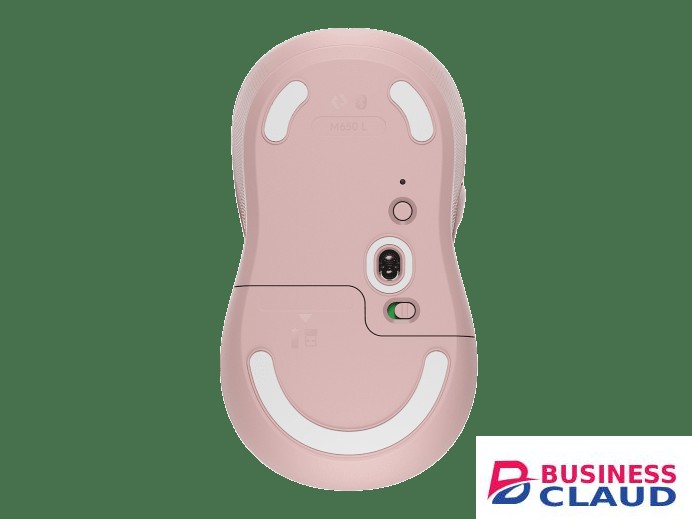
SmartWheel Scrolling Make scrolling work for you with Logitech SmartWheel. Get line-by-line precision when you need to focus on the details, and scroll super fast when you just want to breeze through lengthy pages. Automatically switch modes with the flick of your finger. The Perfect Fit For Your Hand Choose the Signature M650 that fits you best. We recommend the M650 for small-to-medium hands, M650 L for large-sized hands, and M650 L Left for left-handed users. Unsure which mouse is right for you? Check out our sizing guide below. Comfort, Upgraded You’ll enjoy working with your Signature M650. Each mouse features a contoured shape, soft thumb area, and rubber side grips that keep your hand snug and in place. Get more comfort and focus more on what you need to get done. Connect Your Way. Works on Multiple Platforms Connect in an instant via Bluetooth Low Energy or Logi Bolt USB receiver. Get a strong, reliable wireless connection from up to 10 meters. The Signature M650 works on multiple platforms—Windows, macOS, Linux®, iPadOS, Android™—and is Works With Chromebook™ Certified. Less Noise, More Focus No more annoying click noise. Logitech’s exclusive SilentTouch technology reduces 90% [Click noise reduced by over 90% compared to Logitech M170. Left click and typing dBA level measured by an independent lab at 1 meter.] of click sounds creating a better, quieter environment for you and those around you. 24-Month Battery Life The Signature M650 mouse comes with an included AA battery that lasts for up to two years. That’s more focus on work and less worries about charging. Sensor Technology: Logitech Advanced Optical Tracking DPI (Min/Max): 400/4000 Number of Buttons: 5 (Left/Right-click, Back/Forward, Scroll-wheel with middle click) Customization app: Supported by Logi Options+ on Windows and macOS Battery: Up to 24 months (with Logi Bolt USB Receiver), Up to 20 months (with Bluetooth) Battery Details: 1 x AA (included) Connection Type: 2.4 GHz wireless connection, Bluetooth Low Energy Technology Wireless range: 33 ft (10 m) Connect / Power: Yes, on/off switch Compatibility Windows® 10,11 or later macOS 10.10 or later ChromeOS Linux® iPadOS 13.4 or later Android 5.0 or later Engineered for Intel® Evo™ Laptops In The Box Wireless Mouse USB Receiver 1 AA Battery User documentation
from 1 USh 249,570.00 Incl. 0.16% VAT
New Sale

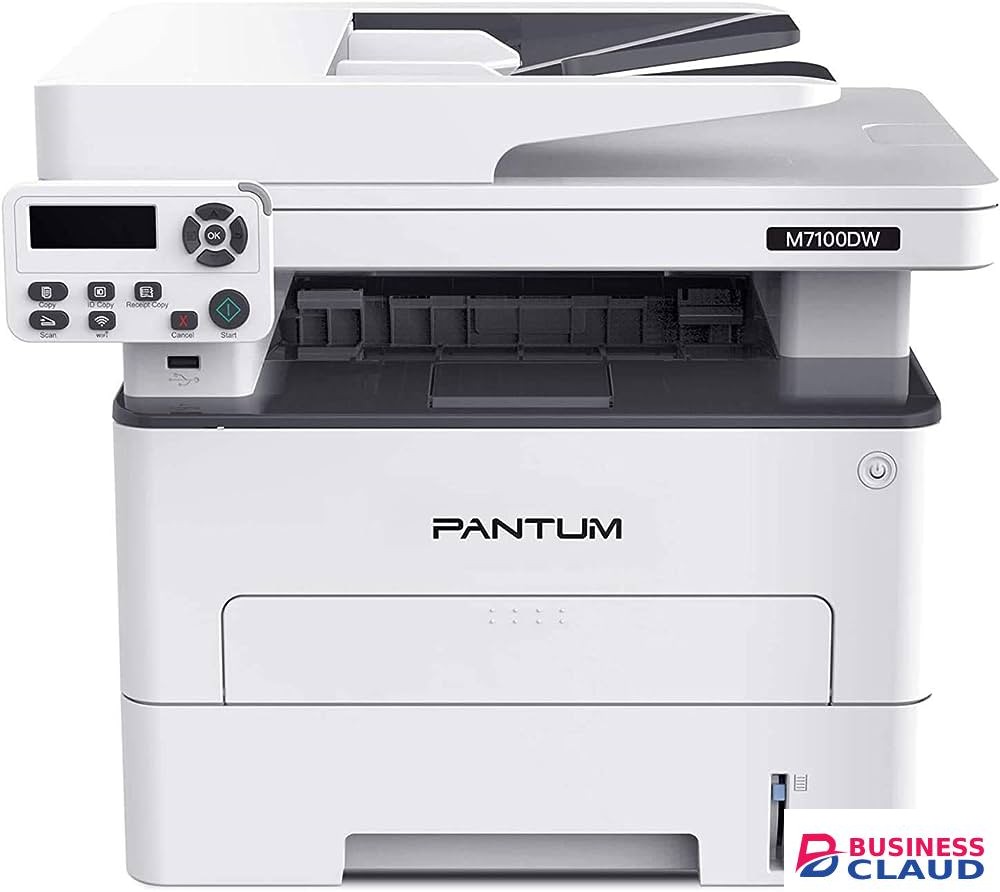
Pantum M7100dw MFP Mono Laserjet Printer

SPECIFICATIONS Print speed:33ppm(A4) / 35ppm(Letter) Resolution ( print, copy, scan)Print: 1200 x 1200 dpi(Max); Copy: 600 x 600 dpi(Max); Scan: FIatbed 1200 • 1200dpi(Max) AD F: 600 • 600d pi(Max) First print out time Page:Less than 8.2s Maximum Monthly Duty Cycle:60000 pages Recommended Monthly :750 to 3500 pages Volume Processor speed:525 MHz Memory:256 MB Printer language:PCL5e, PCL6, PS3e, PDF Automatic Print Duplex:Yes Additional function:N-up, Poster, Watermark, Booklet, Enhance fine lines, Airprint, Mopria, Moblie APP, Silent mode Copying Copy speed:33cpm(A4) / 35cpm(Letter) First copy out time:Flatbed: Less than 10s; ADF: Less than 11s Zoom:25% - 400% Businessclaud.com pages:1 - 99 pages Additional function:ID copy, Receipt copy, N-up copy, Clone copy, Poster copy, Manual duplex copy, Collated copy Scanning Scan speed:24 ppm(A4) / 25 ppm(Letter) Max. scan size:Flatbed: 216 x 297 mm / ADF: 216 x 356mm Additional function:Scan to E-mail, PC, FTP, Thumb drive, iOS/Android Color scanning:Yes Paper Input Tray:250 pages Multipurpose Tray:1 page Paper Output tray: 150 pages(A4/70g) ADF Capacity:50 Pages Media Types:50 pages Plain,Thick,Thin,Transparency, Cardstock, Label, Envelope Media Size: A4, A5,JIS BS, IS0 BS, A6, Letter, LegaI,Executive,Folio, Oficio, Statement, Japanese Postcard, Monarch Env, DL Env,C5 Env, C6 Env, No.10 Env, ZL, Big J 6K, Big 32K, 16K, 32K, B6,Yougata4, Postcard,Younaga3,Nagagata3,Yougata2, Custom Media Weight:Input tray: 60-105g/m* Multipurpose tray: 60-200g / m‘ Dimension (wxdxh):415 x 365 x 350mm(16.3x 14.4x13.8in) Weight (without toner cartridge) Input voltage:11.29kg (24.91b) Noise:Printing: 152dB(A) Copying: 154dB(A) Scanning: 152dB(A) Standby: 130dB(A) Operating System compatibility: Windows Server2003 / 2008 / 2012 / XP / Vista / Win 7 / Win 8 / Win8.1 / Win10 (32/64 Bit); Mac OS 10.7-10.13; Linux: Ubuntu12.04/14.04 (32/64 Bit) Mobile Operating system compatibility:iOS 7.0 and above; Android 4.4 and above Interface:HI-Speed USB2.0 Net: IEEE 802.3 10/100Base-Tx WiFi: IEEE 802.11b/gin Cartridge style:Separate drum and toner Starter toner cartridge capacity / drum cartridge capacity:TL-410 (1500 pages) / DL-410 (12000 pages) Replacement toner cartridge capacity / drum cartridge capacity :TL-410H (3000 pages, High) ; TL- 410X ( 6000 pages , Extra high) / Drum: DL-410 (12000pages)
from 1 USh 2,336,400.00 Incl. 0.16% VAT
New Sale
New Sale
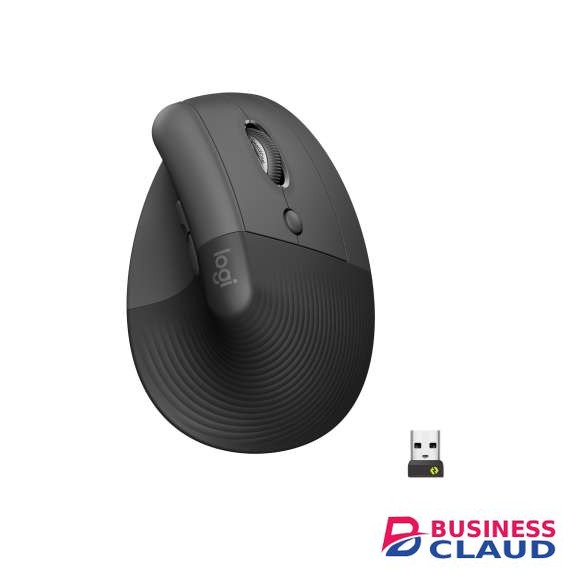
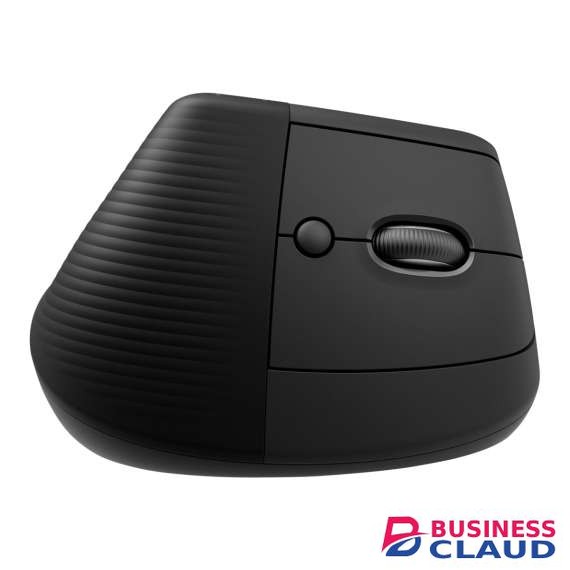
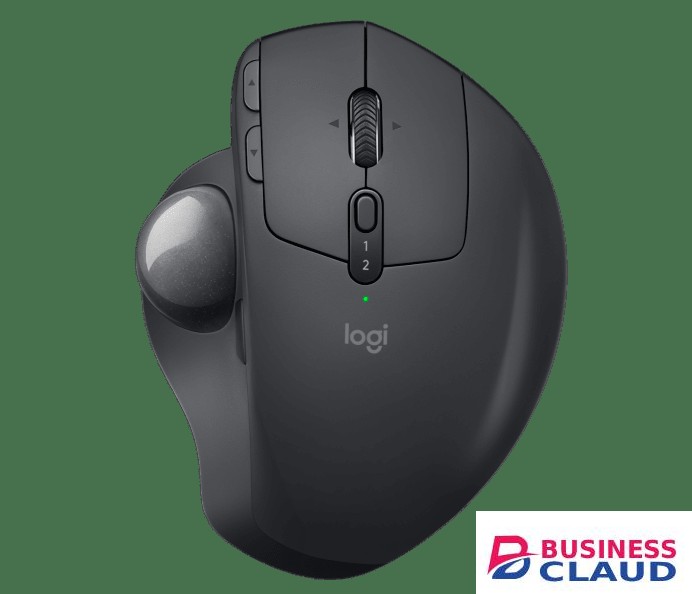
Logitech Lift Bluetooth Vertical Ergonomic Mouse

Bluetooth Low Energy Windows 10 11 or later macOS 10.15 or later iPadOS 14 or later 6Device basic functions will be supported without additional drivers zor operating systems other than Windows® and macOS ChromeOS 7Device basic functions will be supported without additional drivers for operating systems other than Windows® and macOS Linux 8Device basic functions will be supported without additional drivers for operating systems other than Windows® and macOS Android 8 or later 9Device basic functions will be supported without additional drivers for operating systems other than Windows and macOSLogi Bolt USB Receiver Required: Available USB Port Windows 10, 11 or later macOS 10.15 or later ChromeOS 10Device basic functions will be supported without software for systems other than Windows and macOS Linux 11Device basic functions will be supported without software for systems other than Windows and macOS ChromeOS users should connect over Bluetooth for the best experience. Internet access required to download optional customization app Logi Options+Technical Specifications Sensor Technology Sensor Type: Logitech Advanced Optical Tracking DPI range: 400-4000 dpi (Fully adjustable with 100DPI increments) Nominal value: 1000 DPI Buttons Number of Buttons: 6 (Left/Right-click, Back/Forward, Middle button, Scroll-wheel with middle click) Customization app Supported by Logi Options+ on Windows and macOS 1Available on Windows and macOS at Businessclaud.com Battery Battery type: 1x AA battery (included) Battery life: up to 24-months 2Battery life may vary based on user and computing conditions. Connection type support Logi Bolt USB receiver (included) Bluetooth® Low Energy Technology Wireless range 10-m wireless range 3Wireless range may vary depending on the operating environment and computer setup. Sustainability Graphite plastics: 70% post-consumer recycled material 4Excludes plastic in receiver, battery, printed wiring assembly (PWA), and FFC cable Off-white and Rose plastics: 54% post-consumer recycled material 5Excludes plastic in receiver, battery, printed wiring assembly (PWA), and FFC cable Paper Packaging: FSC™-certified Certified carbon neutral
from 1 USh 477,900.00 Incl. 0.16% VAT
New Sale

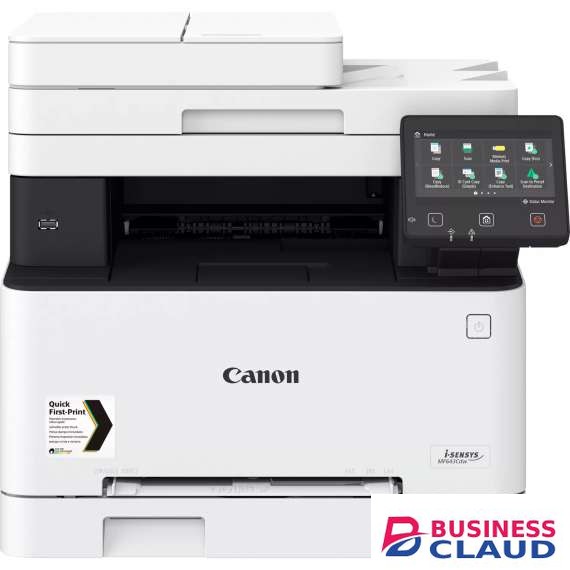
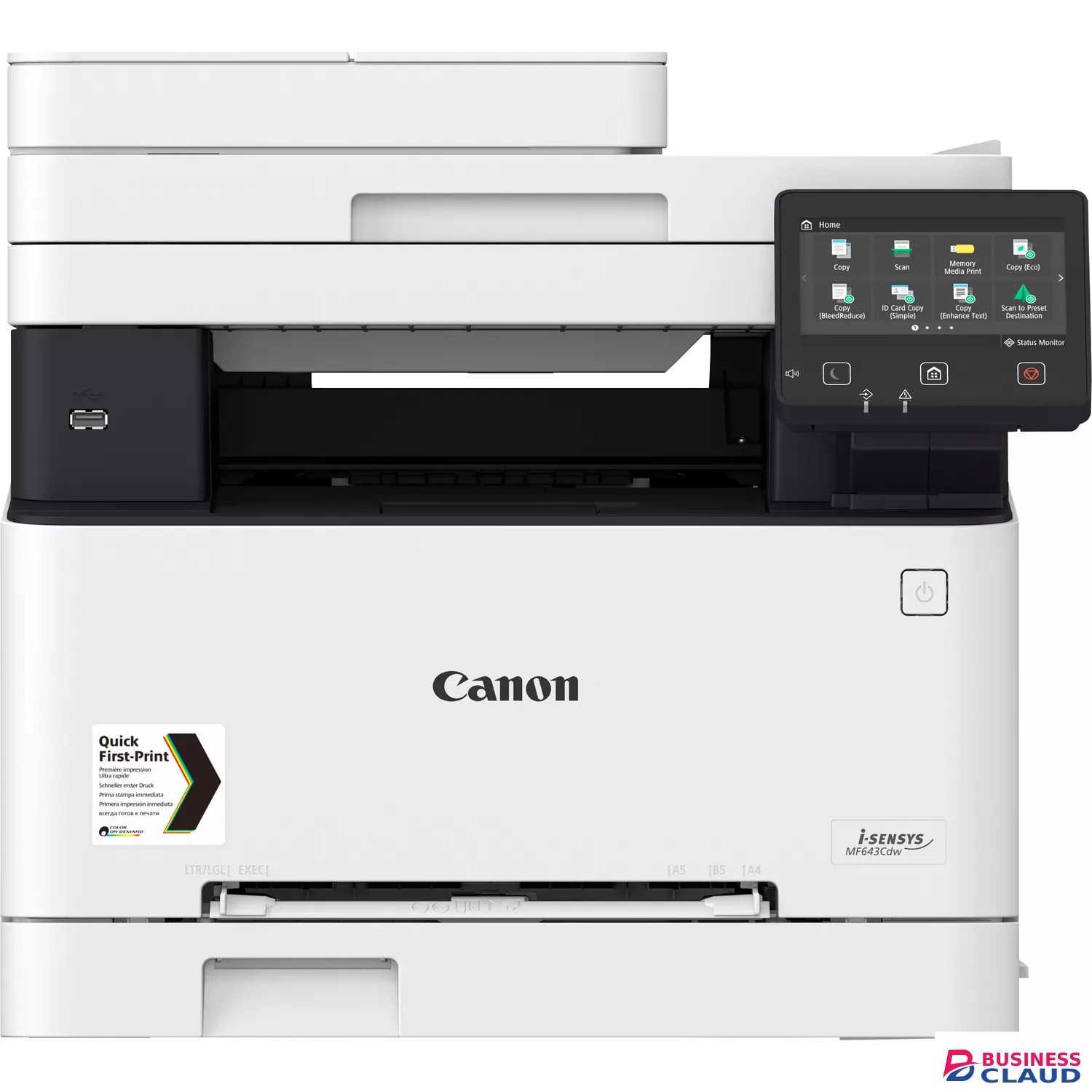
Canon i-SENSYS MF643Cdw 3 in 1 Colour Laser Printer

Specification Machine type Colour Laser All-In-One Available functions MF641Cw/MF643Cdw: Print, Copy and Scan MF645Cx: Print, Copy, Scan and Fax Printer Printing Speed MF641Cw: Single sided: Up to 18 ppm (A4) Up to 38 ppm (A5-Landscape) MF643Cdw/MF645Cx: Single sided : Up to 21 ppm (A4) Up to 38 ppm(A5-Landscape) Double sided : Up to 12.7 ipm (A4) Printing method Colour laser beam printing Print Resolution 600 x 600 dpi Print Quality with Image Refinement Technology Up to 1200 x 1200 dpi Warm-up Time Approx. 13 seconds or less from power on First Print Out Time Colour approx.: 10.5 seconds or less Mono approx.: 10.4 seconds or less Printer Languages MF641Cw: UFRII MF643Cdw: UFRII, PCL 5c*, PCL6 MF645Cx: UFRII, PCL 5c*, PCL6, Adobe® PostScript Commands supported only. Third party driver or direct printing from application required. Fonts MF643Cdw: 45 PCL fonts MF645Cx: 93 PCL fonts 136 PostScript fonts Print margins 5 mm-top, bottom, left and right 10 mm-top, bottom, left and right (Envelope) Toner saver mode Yes Advanced printing features MF641Cw/MF643Cdw: Secure Print Print from USB memory key (JPEG/TIFF/PDF) Google Cloud Print Ready iOS: AirPrint, Canon PRINT Business app Android; Mopria certified, Canon Print Service Plug-in, Canon PRINT Business app MF645Cx: Secure Print Print from USB memory key (JPEG/TIFF/PDF) Barcode Print2 Google Cloud Print Ready iOS: AirPrint, Canon PRINT Business app Android; Mopria certified, Canon Print Service Plug-in, Canon PRINT Business app Copier Copy Speed MF641Cw: Single sided (A4): Up to 18 ppm MF643Cdw/MF645Cx: Single sided (A4): Up to 21 ppm Double sided (A4): Up to 12.7 ppm First Copy Output Time (FCOT) MF641Cw: Platen (A4): Colour Approx. 13.4 seconds or less Mono Approx. 11.4 seconds or less MF643Cdw/MF645Cx: ADF (A4): Colour Approx. 13.4 seconds or less Mono Approx. 11.4 seconds or less Platen (A4): Colour Approx. 14.5 seconds or less Mono Approx. 12.3 seconds or less Copy resolution Up to 600 x 600 dpi Copy modes Text/Photo/Map (Default),Text/Photo/Map (quality), Printed Image, Text Double sided copying MF643Cdw: 1-sided to 2-sided (Automatic) MF645Cx: 2-sided to 2-sided (Automatic) Multiple Copy Up to 999 copies Reduction/Enlargement 25-400% in 1% increments Other features Frame Erase, Collate, 2 on 1, 4 on 1, ID card copy Scanner Type Colour Scan Resolution Optical: Up to 600 x 600 dpi Enhanced: Up to 9600 x 9600 dpi Scan speed MF641Cw: Mono: 27ipm (300x600dpi), Colour: 14ipm (300x600dpi) MF643Cdw: Single sided mono: 27ipm (300x600dpi) Single sided colour: 14ipm (300x600dpi) MF645Cx: Single sided mono: 27ipm (300x600dpi) Single sided colour: 14ipm (300x600dpi) Double sided mono: 47ipm (300x600dpi) Double sided colour: 27ipm (300x600dpi) Colour scanning depth 24 bit/24 bit (input/output) Greyscales 256 levels Compatibility TWAIN , WIA, ICA Max. scan width 216mm Scan to E-mail MF641Cw/MF643Cdw: TIFF/JPEG/PDF/Compact PDF/Searchable PDF MF645Cx: TIFF/JPEG/PDF/Compact PDF/Searchable PDF/Encrypted PDF*/PDF (Digital signature)* Accessory - Send PDF Security Feature Set-E1 is required Scan to PC MF641Cw/MF643Cdw: TIFF/JPEG/PDF/Compact PDF/Searchable PDF MF645Cx: TIFF/JPEG/PDF/Compact PDF/Searchable PDF/Encrypted PDF*/PDF (Digital signature)* Accessory - Send PDF Security Feature Set-E1 is required Scan to USB memory key MF641Cw/MF643Cdw: TIFF/JPEG/PDF/Compact PDF/Searchable PDF MF645Cx: TIFF/JPEG/PDF/Compact PDF/Searchable PDF/Encrypted PDF*/PDF (Digital signature)* Accessory - Send PDF Security Feature Set-E1 is required Scan to FTP MF641Cw/MF643Cdw: TIFF/JPEG/PDF/Compact PDF/Searchable PDF MF645Cx: TIFF/JPEG/PDF/Compact PDF/Searchable PDF/Encrypted PDF*/PDF (Digital signature)* Accessory - Send PDF Security Feature Set-E1 is required Scan to Cloud TIFF/JPEG/PDF/PNG* Scan by MF Scan Utility or Canon PRINT Business iFAX MF645Cx: ITU-T.37 Fax Modem Speed 33.6 Kbps (Up to 3 seconds/page1) Receive mode Fax only, Fax/Tel Auto Switch, Answer Mode, Manual Fax resolution Standard: 200 x 100 dpi Fine: 200 x 200 dpi Super fine: 200 x 400 dpi Ultra fine: 400 x 400 dpi FAX memory Up to 512 pages2 Speed dials Up to 281dials Group dials/destinations Max. 299 dials / Max. 299 destinations Sequential broadcast Max. 310 destinations Memory backup Permanent fax memory backup (Backup with flash memory) Double sided faxing Yes (Transmit and Receive) Other features Fax Forwarding, Dual Access, Remote Reception, PC Fax (TX only) DRPD, ECM, Auto Redial, Fax Activity Reports, Fax Activity Result Reports, Fax Activity Management Reports Media Handling Scanner Type MF641Cw: Platen MF643Cdw: Platen, ADF MF645Cx: Platen, 2-sided ADF (single pass) Paper output 100-sheet Media types Plain paper, Recycled paper, Heavy Paper, Thin paper, Colour paper, Coated paper, Label, Post card, Envelope Media sizes Cassette : A4, A5, A5 (Landscape), B5, Legal, Letter, Executive, Statement, OFFICIO, B-OFFICIO, M-OFFICIO, GLTR, GLGL, Foolscap, 16K, Post card, Indexcard, Envelop (COM10, DL, C5, Monarch), Custom sizes: Min. 76.2 x 127 mm Max. 216 x 355.6 mm. Multi-purpose tray: A4, A5, A5 (Landscape), B5, Legal, Letter, Executive, Statement, OFFICIO, B-OFFICIO, M-OFFICIO, GLTR, GLGL, Foolscap, 16K, Post card, Indexcard, Envelope (COM10, DL, C5, Monarch), Custom sizes: Min 76.2 x 127 mm Max. 216 x 355.6 mm. ADF (MF643Cdw/MF645Cx only): A4, A5, B5, Legal, Letter, Statement, Custom sizes: Min. 128 x 139.7 mm Max 215.9 x 355.6 mm Media weight Cassette: 60 to 163 g/m² (Up to 200 g/m²) Multi-purpose tray: 60 to 163 g/m² (Up to 200 g/m²) ADF: 50 to 105 g/m² (MF643Cdw/MF645Cx) Double Sided Printing MF643Cdw/MF645Cx: Automatic Cassette: A4, B5, Legal, Letter, Executive, OFFICIO, B-OFFICIO, M-OFFICIO, GLTR, GLGL, Foolscap, 16K Custom size - Min. 182 x 257 mm Max. 215.9 x 355.6 mm 60 to 200 g/m2 Interface & Software Interface type USB 2.0 Hi-Speed, 10BASE-T/100BASE-TX/1000Base-T, Wireless 802.11b/g/n, Wireless Direct Connection Operating System compatibility Windows® 10 / Windows® 8.1 // Windows® 7 / Server® 2016 / Server® 2012R2 / Server® 2012 / Server® 2008R2 / Server® 2008 / Mac OS X version 10.9.5 & up / Mac OS 10.14 & up Linux3 Network protocols Print: LPD, RAW, WSD-Print (IPv4,IPv6), IPP, IPPS Scan: Email, SMB, WSD-Scan(IPv4, IPv6), FTP-Scan, iFAX TCP/IP Application Services: Bonjour(mDNS), HTTP, HTTPS, POP before SMTP (IPv4,IPv6) DHCP, ARP+PING, Auto IP, WINS (IPv4) DHCPv6 (IPv6) Management: SNMPv1, SNMPv3 (IPv4,IPv6) Security (wired): IP/Mac address filtering, IEEE802.1X, SNMPv3, SSL (HTTPS, IPPS) Security (wireless): Infrastructure Mode: WEP(64/128 bit), WPA-PSK(TKIP/AES), WPA2-PSK(TKIP/AES) Access Point Mode: WPA2-PSK(AES) Software and printer management MF641Cw/MF643Cdw: MF Scan Utility, Remote User Interface (RUI), Department ID Management, Toner Status Tool, iW Management Console: Server-based software for centralised management of a fleet of devices eMaintenance: embedded RDS allows remote eMaintenance services such as meter capture, automatic consumables management and remote diagnostics. Application Library MF645Cx: MF Scan Utility, Remote User Interface (RUI), Department ID Management, Toner Status Tool, iW Management Console: Server-based software for centralised management of a fleet of devices eMaintenance: embedded RDS allows remote eMaintenance services such as meter capture, automatic consumables management and remote diagnostics. Universal Log-in Manager / uniFLOW online / uniFLOW online Express / uniFLOW Compatibility Application Library General features Recommended Monthly Print Volume 250 - price shown pages per month Duty cycle Max. price shown pages per month4 Processor Speed 800MHz x 2 Memory 1GB Control Panel 12.7 cm LCD Colour Touch Screen Dimensions (W x D x H) MF641Cw: 451 mm x 460 mm x 360 mm MF643Cdw/MF645Cx: 451 mm x 460 mm x 413 mm Installation Space (W x D x H) MF641Cw: 651 mm x price shown mm x 680 mm MF643Cdw/MF645Cx: 651 mm x price shown mm x 789 mm Weight MF641Cw: Approx. 18.9 Kg MF643Cdw/MF645Cx: Approx. 22.6 Kg Operating Environment Temperature: 10 to 30ºC (50 to 86ºF) Humidity: 20 to 80% RH (no condensation) Power Source 220-240V(±10%) 50/60Hz (±2Hz) Power Consumption Maximum: Approx. 850 W Active printing: Approx. 370W Standby: Approx. 11.0 W Sleep mode: Approx. 0.8 W Typical Electricity Consumption (TEC)5: i-SENSYS MF641Cw = 0.5 kWh/week i-SENSYS MF643Cdw / MF645Cx = 0.6 kWh/week Noise Level MF641Cw: Sound Pressure: Active: 49 dB Standby: Inaudible Sound Power: Active: 64dB or less Standby: Inaudible MF643Cdw/MF645Cx: Sound Pressure* : Active: Simplex 51 dB / Duplex 50 dB Standby: Inaudible Sound Power: Active: Simplex 65dB or less / Duplex 67 dB or less Standby: Inaudible Consumable Cartridges Cartridge 054 Black (price shown pages ) Cartridge 054H Black (price shown pages ) Cartridge 054 Cyan (price shown pages ) Cartridge 054H Cyan (price shown pages ) Cartridge 054 Magenta (price shown pages ) Cartridge 054H Magenta (price shown pages ) Cartridge 054 Yellow (price shown pages ) Cartridge 054H Yellow (price shown pages )
from 1 USh 3,026,700.00 Incl. 0.16% VAT
New Sale

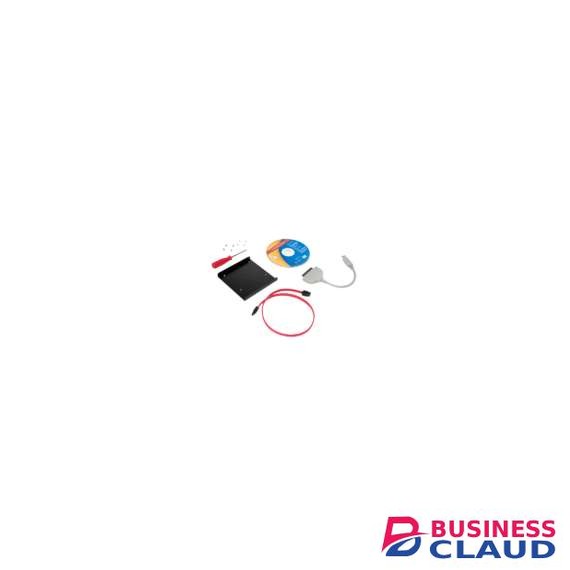
Sandisk SDSSDCK-AAA-G27 Solid State Conversion Kit

Convert your notebook or desktop hard drive to a super-fast solid-state drive with this easy conversion kit. This hassle-free install kit includes all required hardware and software components with a step-by-step user guide to ensure you have everything you need to replace your hard drive in no time. Get data migration software that seamlessly clones your hard drive to your SanDisk SSD Conversion kit SDSSDCK-AAA-G27, 3.5-Inch mounting bracket and screws, small screwdriver, USB-to SATA cable, and a 12-Inch SATA data cable. The SanDisk SSD conversion kit is the perfect choice for upgrading your hard drive to an SSD. From the Manufacturer SDSSDCK-AAA-G27 The SanDisk Solid State Drive Conversion Kit provides all the tools you need to upgrade your desktop or laptop computer to solid-state technology. Ideal for do-it-yourselfers and enthusiasts, this kit comes with the hardware needed to install a new solid-state drive (SSD). It also includes convenient data-migration software, which seamlessly transfers your files, applications, and operating system to your new drive (SSD sold separately). Kit includes all the tools you need to upgrade your desktop or laptop computer to solid-state technology. Easily Mount and Install an SSD The SanDisk SSD Conversion Kit makes it easy to replace your computer’s hard drive with a new SSD (sold separately). The kit comes with a 3.5-inch mounting bracket, a SATA cable, a SATA-to-USB cable, screws, and a screwdriver, giving you all the hardware necessary for an SSD installation. The mounting bracket lets you easily mount your drive inside a desktop PC and is designed to accommodate any 2.5-inch SSD. SanDisk SSD Conversion kit SATA-to-USB Cable for Data Migration The kit comes with both a SATA cable and a SATA-to-USB cable. The SATA cable is 12 inches long, giving you flexibility during in-case desktop PC installations. The SATA-to-USB cable lets you connect your existing hard drive to your SSD for easy data migration. Simple, Straightforward Desktop Installation With the SSD Conversion Kit, installing your new SSD in a desktop computer is easy: simply mount the SSD onto the bracket, secure the bracket onto your computer case using the provided screws, and plug the SSD into a power cable and available SATA port. The kit comes with a helpful guide that explains each step of the installation process. Data-Migration Software for Effortless Data Transfer The SanDisk SSD Conversion Kit also comes with data-migration software, which eliminates the hassle of manually copying files to your new drive. This software automatically transfers files, programs, and your operating system from your existing hard drive to your new SSD. And since the software seamlessly replicates all your data, you won’t have to reinstall your applications or your operating system. SanDisk SSD Conversion kit Compatibility The SanDisk SSD Conversion Kit’s data migration software is compatible with Windows 7, Windows Vista, Windows XP, and Mac OS X 10.2 or later. For PC, the kit requires a CD-ROM drive, 128 MB RAM, and a Pentium II processor or above. For Mac, the kit requires a CD-ROM drive, 64 MB RAM, and a PowerPC G3 or above. SSD installation requires an available SATA port.
from 1 USh 212,400.00 Incl. 0.16% VAT