Promotional Banner - Delivery in 2-3 hours, Quality & Original, Delivered

Computers

New Sale
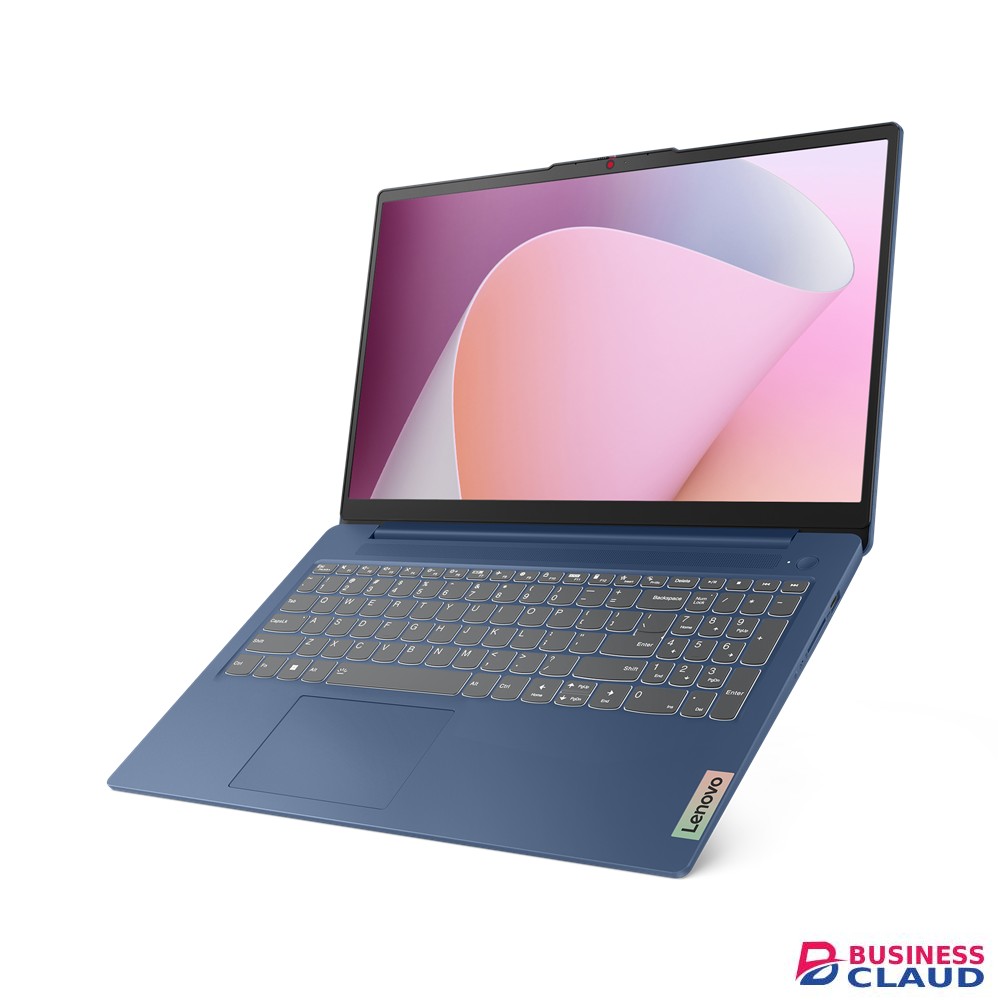
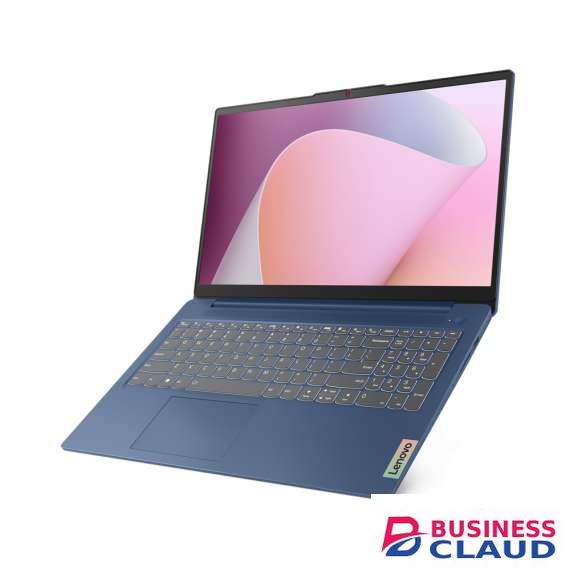
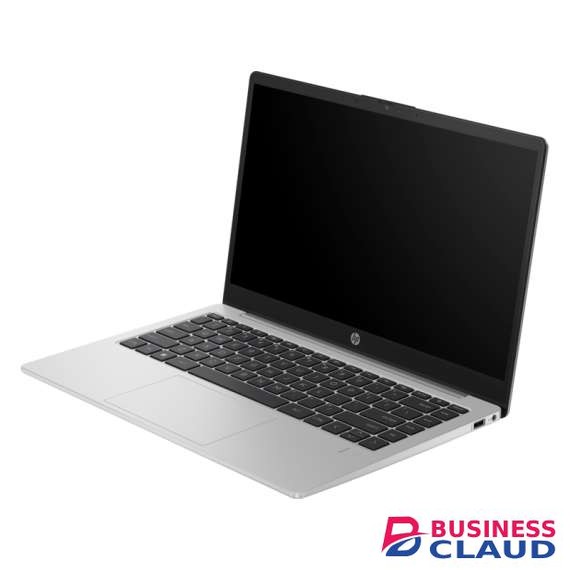
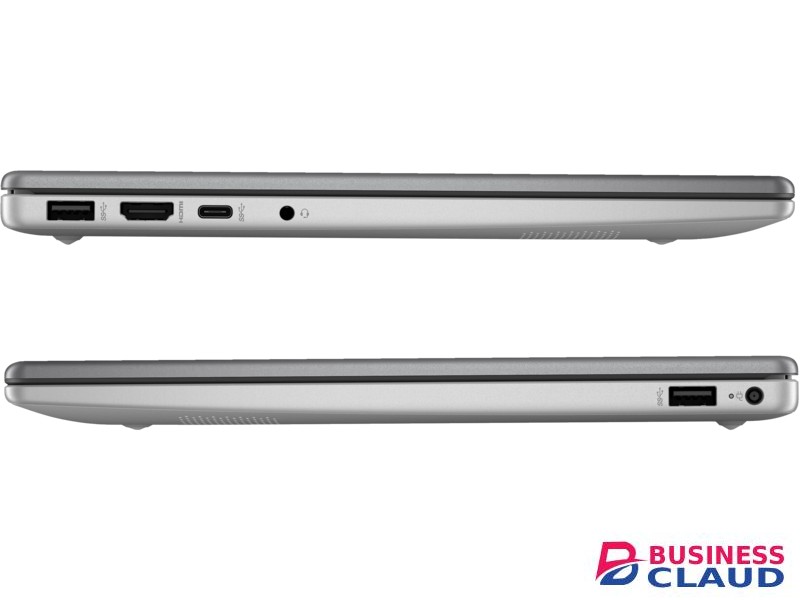
Lenovo IdeaPad Slim 3 15ABR8 AMD Ryzen 7 7730U AMD Radeon Graphics 8GB 512GB SSD FHD W11H Laptop

Lenovo IdeaPad Slim 3 15ABR8 AMD Ryzen 7 7730U AMD Radeon Graphics 8GB 512GB SSD FHD W11H Laptop

PERFORMANCE Processor AMD Ryzen™ 7 7730U (8C / 16T, 2.0 / 4.5GHz, 4MB L2 / 16MB L3) Graphics Integrated AMD Radeon™ Graphics Chipset AMD SoC Platform Memory 8GB Soldered DDR4-3200 Memory Slots Memory soldered to systemboard, no slots, single-channel (8GB models) Max Memory 8GB soldered memory, not upgradable Storage 512GB SSD M.2 2242 PCIe® 4.0x4 NVMe® Storage Support One drive, up to 1TB M.2 2242 SSD Storage Slot One M.2 PCIe® 3.0 x4 slot Card Reader SD Card Reader Optical None Audio Chip High Definition (HD) Audio Speakers User-facing stereo speakers, 1.5W x2, optimized with Dolby Audio™ Camera FHD 1080p with Privacy Shutter Microphone 2x, Array Battery Integrated 47Wh Power Adapter 65W Round Tip (3-pin) DESIGN Display 15.6" FHD (1920x1080) IPS 300nits Anti-glare Touchscreen None Keyboard Non-backlit, English (UK) Touchpad Buttonless Mylar® surface multi-touch touchpad, supports Precision TouchPad (PTP), 69 x 104 mm (2.72 x 4.09 inches) Case Color Arctic Grey Surface Treatment IMR (In-Mold Decoration by Roller) Case Material PC-ABS (Top), PC-ABS (Bottom) Dimensions (WxDxH) 359.3 x 235 x 17.9 mm (14.15 x 9.25 x 0.70 inches) Weight Starting at 1.62 kg (3.57 lbs) SOFTWARE Operating System Windows® 11 Home Single Language, English Bundled Software Office Trial CONNECTIVITY Ethernet No Onboard Ethernet WLAN + Bluetooth Wi-Fi® 6, 11ax 2x2 + BT5.2 Standard Ports 2x USB 3.2 Gen 1 1x USB-C® 3.2 Gen 1 (support data transfer, Power Delivery and DisplayPort™ 1.2) 1x HDMI® 1.4 1x Headphone / microphone combo jack (3.5mm) 1x Card reader 1x Power connector Security Chip Firmware TPM 2.0 Enabled Fingerprint Reader Touch Style, Integrated in Power Button Other Security Camera privacy shutter SERVICE Base Warranty 1-year, Courier or Carry-in Included Upgrade 2Y Depot from 1Y Depot MEA DOS (CPN) ACCESSORIES Bundled Accessories None
from 1 USh 4,141,800.00 Incl. 0.16% VAT
New Sale
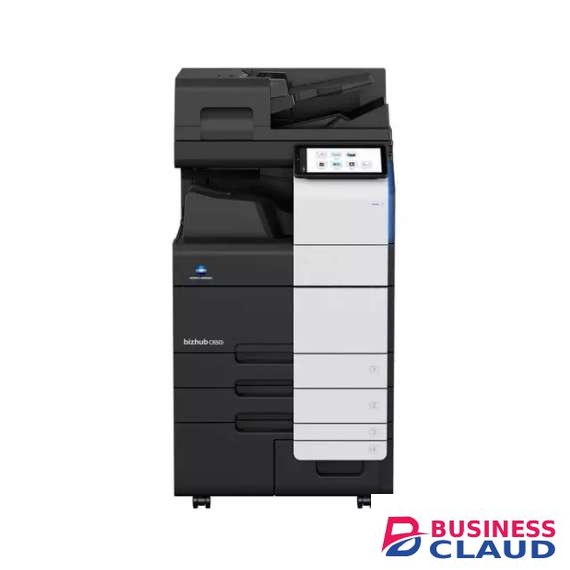
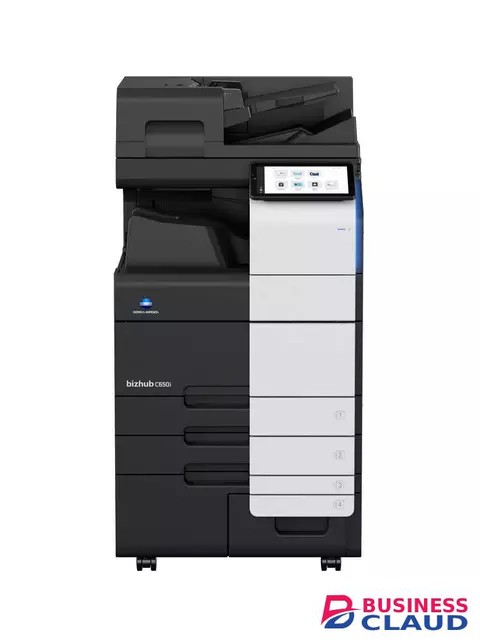
Konica bizhub C650i Multifunctional Printer

Konica bizhub C650i Multifunctional Printer

Overview Simple, Connected and Safe. Discover the bizhub i-Series! 65/65 ppm in colour and black&white Paper formats: A6-SRA3, custom formats and banner printing up to 1.2 m Automatic media type detection for improved User Experience 10.1-inch colour tablet-like touch panel with easy customisable modern UI Highest data security thanks to various security functionalities include Bitdefender anti-virus engine to reduce the risk of data loss and keep confidential data safe Enjoy the bizhub i-Series with the 10.1 inch tablet-like panel, user friendly UI, automatic paper detection, outstanding Security features with the embedded Bitdefender® antivirus scan engine, Remote Services, Konica Minolta IT Services and much more... Finishing Versatile finishing options include online- and offline-stapling, punching, letterfolding of up to price showneets per letter and booklets of up to price showneets (80 pages) for improved office productivity and professional documents. Media support Embedded media sensor can detect paper weight and type to ensure right settings are applied Security A full set of security features provided by bizhub SECURE services, including Bitdefender® anti-virus engine to protect your organization from malware infection. Sustainability Reduce environmental impact and save costs at the same time thanks to Konica Minolta's integrated state-of-the art technology for competitively low power consumption. User Experience The 10.1-inch colour touch screen provides an easy operation, juste like your smartphone or tablets. All main settings available at a glance to make the copying easier. Specification Box Auto deletion Automatic deletion of files stored in a user box after a predefined period Box function Storing of print, copy, scan and fax jobs for recall to send and print - for frequently printed documents like brochures, forms, pricelists etc. Online access User box file access via web browser or box operator utility Personal, Group and Public User access definition for different boxes Sharing Copying of documents from user box to user box Copy Blank page removal Automatic deletion of blank pages e.g. when copying mixed simplex and duplex documents New User Interface Light, simple and modern UI is easy to use Quick access to settings With most used settings visible at first sight, select them with one click, drop down or pop up menu Fax Fax forwarding Forwarding of incoming fax documents by email or to SMB folder instead of printing IP-Fax Sending of fax messages via network between Konica Minolta MFPs; supports colour as well as black & white PC-Fax Direct fax transmission from the PC Shared address book The MFP-internal address book can be shared with the PC fax client Tray selection Choice of input tray / print media and output tray for easy visibility of incoming faxes Green Dynamic eco timer Automatic analysis of working hours and adjustment of sleep mode timing ECO meter Counter for ECO related items e.g. power consumption ECO print Touch screen panel does not light up for printing out of sleep mode ECO scan Scanning of documents without warm-up of the print engine Weekly timer Sleep mode timer setting on day and date basis Print Direct print Driverless printing of PDF, XPS, DOCX, XLSX, PPTX, JPEG, TIFF, PS and PCL Mobile Printing Possibility to directly print documents from a mobile device MyTab Print driver customisation Smart job queue Unprintable jobs e.g. because of unavailable paper size (copy, print and fax) are bypassed by consecutive jobs Universal Printer Driver One driver to install, manage and maintain Scan Blank page removal Automatic deletion of blank pages e.g. when scanning mixed simplex and duplex documents Dual scan document feeder DSDF with standard double feed detection helps ro perfom scan jobs quicker Scan annotation Stamping of e.g. date/time, filing number or custom text on scans for archiving purposes Scan preview Provides a real-time preview of scanned originals for checking before sending Scan to url Reduce the load on the company network by sending a simple url to the recipient instead of a big file Scan-to-Me/Home Direct scan to own email address (Me) or SMB folder (Home) based on Active Directory information Security Access rights Function access rights can be granted on user level (up to price shown accounts on MFP) Authentication User access by password, user name + password, ID card or finger vein scanner bizhub SECURE services Activate adequate security features on the MFP to make sure corporate data is safe Data encryption Encryption of data stored on hard disk and password protection for hard disk access Embedded Antivirus Bitdefender® anti-virus engine protects against viruses spreading inside and outside of an organisation (optional)
from 1 USh 80,181,000.00 Incl. 0.16% VAT
New Sale
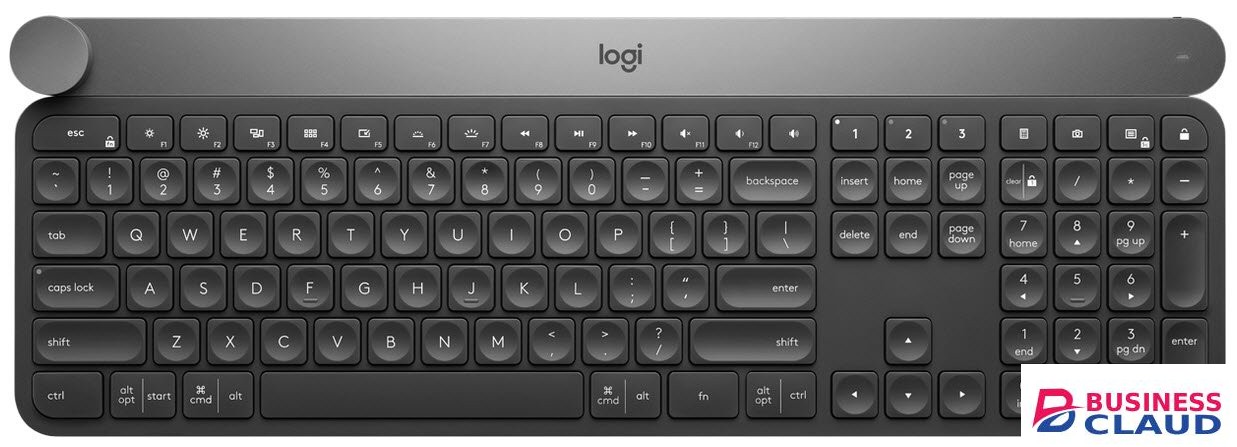
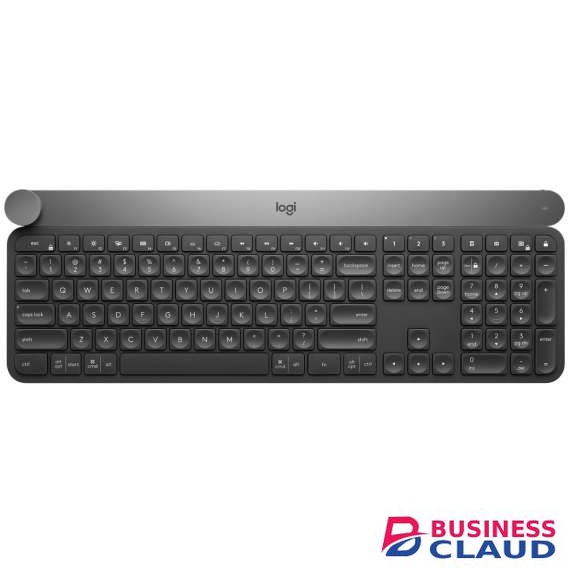
Logitech Craft Advanced Keyboard with Creative Input Dial

Logitech Craft Advanced Keyboard with Creative Input Dial

Logitech Craft Advanced Keyboard with Creative Input Dial – 920-008504 Complete Creative Control Craft is a wireless keyboard with a premium typing experience and a versatile input dial that adapts to what you’re making — keeping you focused and in your creative flow. Control You Need, The Moment You Need It The creative input dial adapts to the app you’re using — giving you instant access to specific functions for the task at hand. The touch-sensitive control lets you feel your way through your creation — for a more efficient and immersive workflow. Touch, Tap, And Turn In Your Favorite Apps In Windows® or macOS, adjust brightness in Adobe Photoshop® CC, change stroke weight in Adobe Illustrator® CC, edit images in Adobe Lightroom® Classic CC,and more with a turn of the dial. Windows users can also enlarge text in Microsoft PowerPoint®, instantly create charts in Microsoft Excel®, and more. Smart Illumination Craft breathes to life with a backlighting flourish when it turns on — and the keys light up the moment your hands approach. The backlit keys automatically adjust the brightness to suit changing lighting conditions. Type With Effortless Precision Confidently type on a keyboard crafted for efficiency, stability, and precision. Increased key stability reduces noise and optimizes responsiveness so you feel, but don’t hear, every keystroke. The spherical key dishing is crafted for accuracy, and blind navigation details make it easy to orient your fingers so you never miss a key — or a beat.
from 1 USh 1,354,050.00 Incl. 0.16% VAT
New Sale
HP Smart Tank 580 All in One Printer

HP Smart Tank 580 All in One Printer

Functions Print, copy, scan Print speed black (ISO) Up to 12 ppm Print speed black (draft, A4) Up to 22 ppm Print speed black (ISO, A4) Up to 12 ppm Print speed color (ISO) Up to 5 ppm Print speed color (draft, A4) Up to 16 ppm Print Speed Color (ISO) Up to 5 ppm First page out black (letter, ready) (For details see: Businessclaud.com First page out black (A4, ready) As fast as 14 sec (For details see: Businessclaud.com First page out color (letter, ready) (For details see: Businessclaud.com First page out color (A4, ready) As fast as 21 sec (For details see: Businessclaud.com Duplex printing Manual (driver support provided) Duty cycle (monthly, letter) Up to price shown pagesUp to price shown pages Duty cycle (monthly, A4) Up to price shown pages Recommended monthly page volume 400 to 800 Print quality black (best) Up to 1200 x 1200 rendered dpi Print quality color (best) Up to 4800 x 1200 optimized dpi color (when printing from a computer and 1200 input dpi) Print languages HP PCL 3 GUI; HP PCLm (HP Apps/UPD); URF (AirPrint) Print technology HP Thermal Inkjet Connectivity, standard 1 Hi-Speed USB 2.0 (device); 1 Wi-Fi 802.11b/g/n; 1 Wi-Fi Direct Mobile printing capability HP Smart app; Apple AirPrint; Mopria Print Service; HP Print Service Plugin (Android printing); Wi-Fi Direct Printing 2 Network capabilities Yes (via WiFi) Wireless capability Yes, built-in Wi-Fi 2.4G, Wi-Fi Direct Wireless technologies 802.11b/g/n Minimum System Requirements for Macintosh Apple® macOS v10.15 Catalina, macOS v11 Big Sur, macOS v12 Monterey; 2 GB HD; Internet required Minimum System Requirements Microsoft® Windows® 11, 10; Internet connection, Microsoft® Internet Explorer or Edge. Digital sending standard features Scan to file (from software); HP Smart Tasks Display 33 segments + 1.2-inch iCON LCD Display Processor speed 980 MHz Maximum Memory 64MB Memory 64 MB Integrated DDR1 Compatible Operating Systems Windows 11; Windows 10; macOS 10.15 Catalina; macOS 11 Big Sur; macOS 12 Monterey; macOS 13 Ventura; macOS 14 Sonoma (Microsoft Windows 11, 10; macOS v10.15 Catalina, macOS v11 Big Sur, macOS v12 Monterey; macOS v13 Ventura; macOS v14 Sonoma; Android; iOS) Paper handling input, standard 100-sheet input tray Paper handling output, standard 30-sheet output tray Finished output handling Sheetfed Media types Plain paper, Matte Brochure Papers, Glossy Brochure Papers, Photo papers, Envelopes, Other specialty inkjet papers Media sizes supported A4; B5; A6; DL envelope, legal Media sizes, custom 88.9 x 127 to 215.9 x 355.6 mm Borderless printing Yes (up to 8.5 x 11 in, 210 x 297 mm) Media weight, recommended 75 g/m² File Format Supported JPG; PDF Scanner type Flatbed only Scan file format JPG; PDF; PNG; TIFF; HEIF Enhanced scanning resolution Up to 1200 dpi Scan resolution, optical Up to 1200 dpi Scan resolution, hardware Up to 1200 x 1200 dpi Scan size, maximum 216 x 297 mm Scan technology Contact Image Sensor (CIS) Copy speed black (ISO) Up to 10 cpm Copy speed color (ISO) Up to 2 cpm Copy resolution (black text) Up to 600 dpi Copy resolution (color text and graphics) Up to 600 x 600 dpi Copy resolution (black graphics) Up to 600 dpi Copies, maximum Up to 99 copies Copy reduce / enlarge settings Via HP Smart app Copier settings Number of Copies, Resize, Quality, Lighter/Darker, Papersize, Papertype, ID Copy, Enhancement Power consumption 0.109 watts (manual-Off), 3.023 watts (ready), 1.096 watt (sleep) 4 Power Input voltage 100 to 240 VAC (+/- 10%), 50/60 Hz (+/- 3 Hz). High voltage: Input voltage 200 to 240 VAC (+/- 10%), 50/60 Hz (+/- 3Hz) Operating humidity range 15 to 80% RH (non-condensing) Recommended operating humidity range 20 to 80% RH Non-Operating Humidity Range 5 to 90% RH (non-condensing) Operating temperature range 5 to 40°C Operating temperature range 41 to 104°F Energy savings feature technology HP Auto-Off Technology Energy star certified No Safety IEC 60950-1 & IEC62368-1 compliant; EU RED and EN 60950-1 & EN 62368-1 compliant; Singapore Safety; China CCC; Taiwan BSMI Security management No Minimum dimensions (W x D x H) 434.66 x 361.53 x 157.26 mm 5 Maximum dimensions (W x D x H) 434.66 x 580.65 x 259.37 mm 5 Weight 5.03 kg Product color Light basalt Number of print cartridges 4 (1 each black bottle, set of 3 color bottles) Replacement cartridges North America: HP GT53 90-ml Black Original Ink Bottle 1VV22AA; HP GT53XL 135-ml Black Original Ink Bottle 1VV21AA; HP GT52 Cyan Original Ink Bottle M0H54AA; HP GT52 Magenta Original Ink Bottle M0H55AA; HP GT52 Yellow Original Ink Bottle M0H56AA; Europe Middle East and Africa: HP GT53XL 135-ml Black Original Ink Bottle 1VV21AE; HP GT52 Cyan Original Ink Bottle M0H54AE; HP GT52 Magenta Original Ink Bottle M0H55AE; HP GT52 Yellow Original Ink Bottle M0H56AE; Asia Pacific: HP GT53 90-ml Black Original Ink Bottle 1VV22AA; HP GT53XL 135-ml Black Original Ink Bottle 1VV21AA; HP GT52 Cyan Original Ink Bottle M0H54AA; HP GT52 Magenta Original Ink Bottle M0H55AA; HP GT52 Yellow Original Ink Bottle M0H56AA; Latin America: HP GT53 90-ml Black Original Ink Bottle 1VV22AL; HP GT52 Cyan Original Ink Bottle M0H54AL; HP GT52 Magenta Original Ink Bottle M0H55AL; HP GT52 Yellow Original Ink Bottle M0H56AL; HP GT52 3-pack Cyan/Magenta/Yellow Original Ink Bottles X4E44AL. For more information about fill and yield, see Businessclaud.com . (Black and composite color average per bottle (cyan/magenta/yellow) results based on HP methodology from the simulation of continuous printing of ISO/IEC 24712 test pages. Not based on ISO/IEC 24711 test process. An additional black ink bottle is required to print price shown color test pages. Actual yield varies based on content of printed pages and other factors. Some ink from included bottles is used to start up the printer. For more information about fill and yield, see Businessclaud.com .) Manufacturer Warranty One-year or price shown pages limited hardware warranty
from 1 USh 998,280.00 Incl. 0.16% VAT
New Sale
UGREEN UG-15600 USB-C 9 in 1 Multifuntion Docking Station

UGREEN UG-15600 USB-C 9 in 1 Multifuntion Docking Station

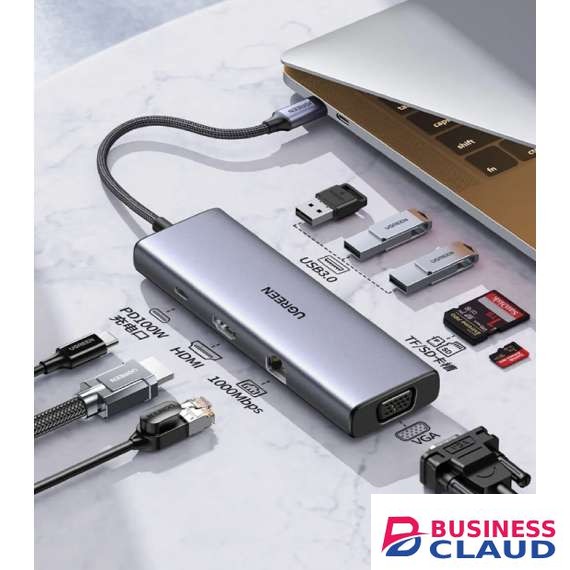
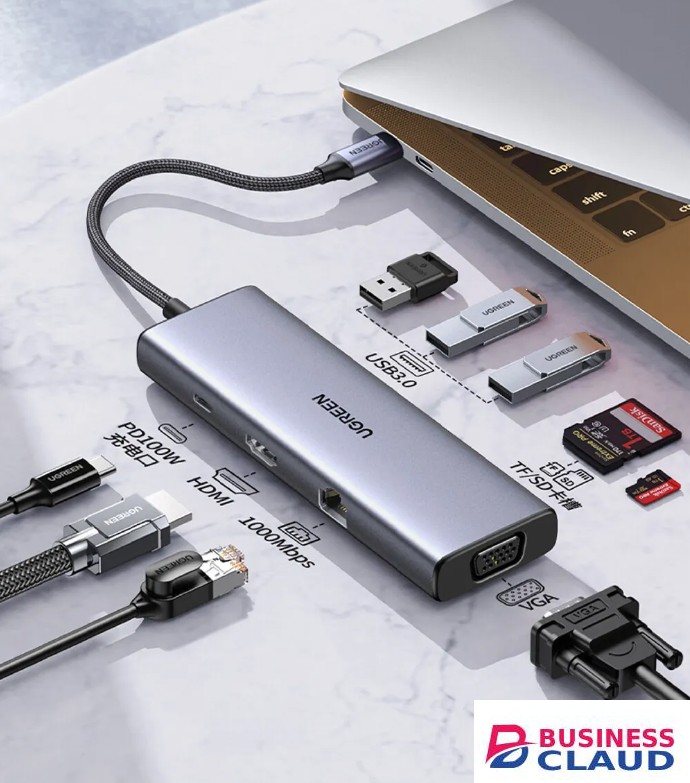
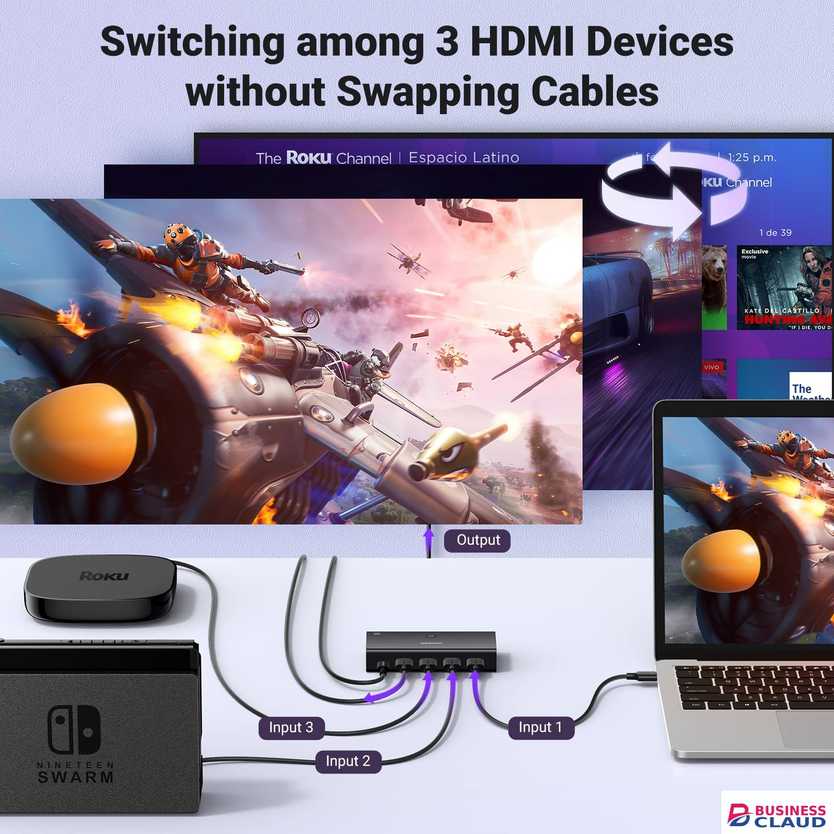
Ports: USB-C To USB 3.0 (3 Ports) + HDMI + VGA + RJ45 Gigabit + SD/TF + PD Converter USB-C to USB 3.0 (3 Ports): This adapter includes three USB 3.0 ports, which allow you to connect USB peripherals such as external hard drives, flash drives, keyboards, mice, and more. USB 3.0 offers high-speed data transfer for quick file sharing and device connections. HDMI and VGA Output: The adapter features both HDMI and VGA output ports, enabling you to connect your laptop or device to external displays, monitors, or projectors. This is ideal for presentations, watching videos, or extending your desktop workspace. High-Speed Data Transfer: With USB 3.0 ports, you can transfer data at high speeds, making it convenient for tasks that require quick access to large files. Reliable Ethernet Access: The RJ45 Gigabit Ethernet port provides a stable and fast wired network connection, ensuring a reliable internet connection for tasks that demand high bandwidth, such as online gaming or video streaming. SD/TF Card Reader: The built-in SD and TF (Micro SD) card slots allow you to easily access and transfer data from memory cards, making it convenient for photographers, videographers, or anyone who frequently uses memory cards. USB-C Port: The USB-C port on the adapter serves as a pass-through port for power delivery (PD). You can charge your laptop or device while using the adapter, ensuring that your device stays powered up during extended usage.
from 1 USh 249,570.00 Incl. 0.16% VAT
New Sale
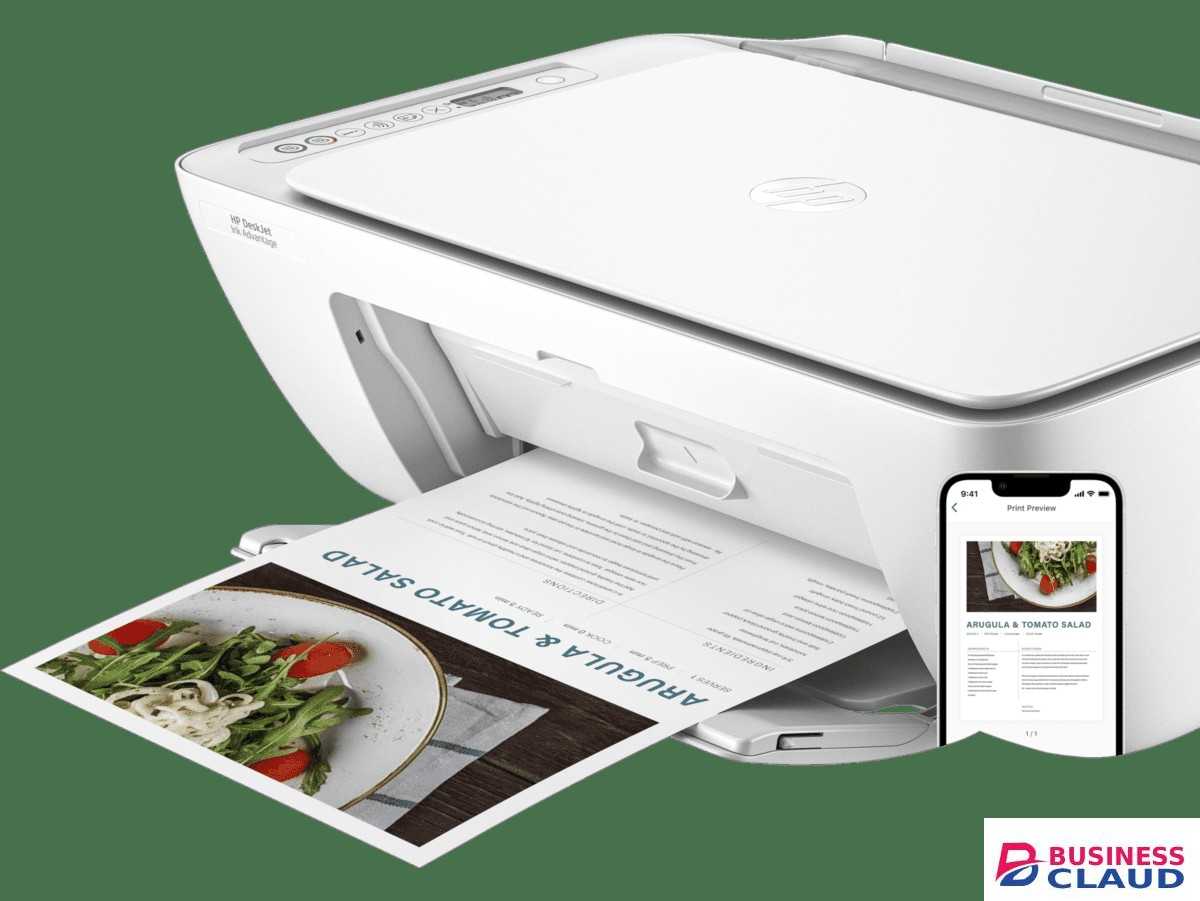
HP DeskJet Ink Advantage 2875 All in One Printer

HP DeskJet Ink Advantage 2875 All in One Printer

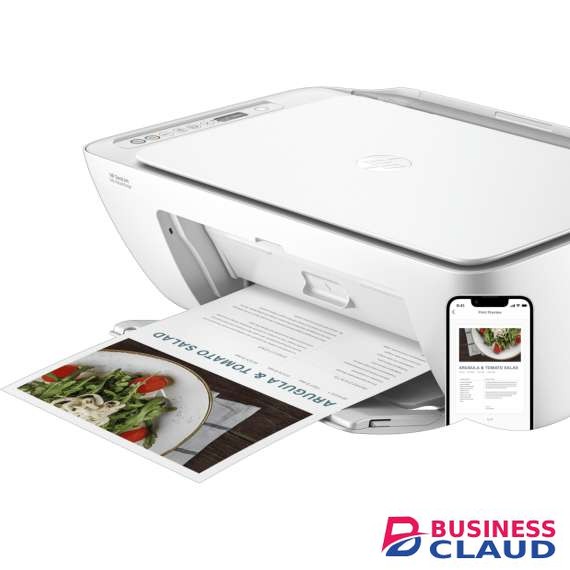
Overview Effortlessly print/scan/copy with this compact, wireless printer with optional high-yield cartridges, paired with the easiest-to-use print app. Simple print app Get started fast by following simple steps on the best and easiest-to-use print app. More done with one device Easily print shipping labels or your favourite recipes and get a lot from one device – print, scan, and copy. Intuitive panel Handle all your printing tasks quickly from the intuitively easy-to-use control panel with buttons. Easy mobile printing Print, scan, copy, or fax right from your smartphone with the best and easiest-to-use HP app. Ink savings Even if you print a lot, you'll save a lot with the optional low-price shown high-yield Original HP inks. Versatile printing From school projects to personal documents, get high-quality printing for all your needs. Professional results Original HP inks deliver sharp text and vivid colours to everything you print. Conscious printing Choose printers with 60% recycled plastic and help protect our forests with every page you print. Specification Functions Multifunction / All-in-One Duty cycle (monthly, letter) Up to price shown pages Duty cycle (monthly, A4) Up to 1000 pages Recommended monthly page volume 50 to 100 Target user and print volume For teams up to 3 users; Prints up to 100 pages/month Paper trays, standard 1 Paper trays, maximum 1 Print colours Yes Top key features Scan to PDF Print technology HP Thermal Inkjet Envelope feeder No Duplex printing Manual (driver support provided) Multitasking supported No Automatic paper sensor No Vertical alignment accuracy +/- 0.042 mm Print Speed Print speed black (ISO) Up to 7.5 ppm Print speed color (ISO) Up to 5.5 ppm Print speed black (draft, A4) Up to 20 ppm Print speed color (ISO) Up to 5.5 ppm Print speed Print speed up to 7.5 ppm (black) and 5.5 ppm (color) Connectivity And Communications Mobile printing capability HP app; Apple AirPrint; Chrome OS Wireless capability Yes, built-in Wi-Fi 802.11b/g/n, 2.4 GHz single-bandonly Network capabilities Built-in WiFi 802.11b/g/n, 2.4 GHz single-bandonly Connectivity, standard 1 Wi-Fi 802.11b/g/n; 1 Hi-Speed USB 2.0 (device) Cartridges And Printheads Number of print cartridges 2 (1 each black, tri-color) Ink types Dye-based (color); Pigment-based (black) Color(s) of printing supplies Black; Cyan; Magenta; Yellow Print colors maximum 4 Replacement cartridges HP 682 Tri-color Original Ink Advantage Cartridge (~150 pages yield) 3YM76A; HP 682 Black Original Ink Advantage Cartridge (~480 pages yield) 3YM77A. Actual yield varies considerably based on content of printed pages and other factors. For details see Businessclaud.com Print head nozzles 328 (black), 588 (color) Print heads 2 (1 each black, tri-color) Number of print cartridges 2 (1 each black, tri-color) Ink types Dye-based (color); Pigment-based (black) Camera Specifications Print head nozzles 328 (black), 588 (color) Print heads 2 (1 each black, tri-color) Printing Media Handling Maximum input capacity (4x6 photo) Up to price showneets Maximum input capacity (photo paper) Up to price showneets Maximum input capacity (sheets) Up to price showneets Maximum input capacity (cards) Up to 20 cards Input capacity Up to price showneets Standard input capacity (cards) Up to 20 cards Finished output handling Sheetfed Maximum output capacity (photo paper) Up to price showneets Maximum output capacity (envelopes) Up to 5 envelopes Maximum output capacity (sheets) Up to price showneets Output capacity Up to price showneets Standard output capacity (envelopes) Up to 5 envelopes Standard output capacity (legal) Up to price showneets Paper handling input, standard 60-sheet input tray Paper handling output, standard 25-sheet output tray Print Area Top margin (A4) 3 mm Left margin (A4) 3 mm Right margin (A4) 3 mm Bottom margin (A4) 12.7 mm Print Resolution Print quality black (best) Up to 1200 x 1200 rendered dpi Print quality color (best) Up to 4800 x 1200 optimized dpi color (when printing from a computer on selected HP photo papers and 1200 input dpi) Supported Printing Media Media sizes supported, key 10 x 15 cm; A4; Envelopes Media sizes supported A4; B5; A6; DL envelope Media sizes, custom 76 x 127 to 215 x 355 mm Standard media sizes (duplex) Not Applicable Media types Plain paper, Photo paper, Brochure paper, envelopes and other specialty inkjet paper Media weight, supported A4: 60 to 90 g/m²; HP envelopes: 75 to 90 g/m²; HP cards: up to 200 g/m²; HP 10 x 15 cm photo paper: up to 300 g/m² Media weight, recommended 75 g/m² Copier Specifications Copies, maximum Up to 9 copies Copier settings Auto-enlarge Scanner Specifications Scan technology Contact Image Sensor (CIS) Color scanning Yes Scan input modes Front-panel Copy buttons, HP Smart sortware Scan size, maximum 216 x 297 mm Bit Depth 24-bit Levels of grayscale 256 Twain version Version 2.4 Scan file format JPEG, TIFF, PDF, BMP, PNG Scan Resolution Scan Resolution, Hardware Up to 1200 x 1200 dpi Scan Resolution, Optical Up to 1200 dpi Fax Specifications Faxing No Supported Operating Systems Compatible network operating systems Windows 11; Windows 10; macOS 10.14 Mojave; macOS 10.15 Catalina; macOS 11 Big Sur; macOS 12 Monterey; macOS 13 Ventura; Chrome OS Compatible Operating Systems Windows 11; Windows 10; macOS 10.14 Mojave; macOS 10.15 Catalina; macOS 11 Big Sur; macOS 12 Monterey; macOS 13 Ventura; Chrome OS Memory Memory 64 MB DDR1 Memory slots None System Components Control panel Icon LCD display, 7 buttons (Power, Cancel, Resume, Wi-Fi, Info, Color Copy & Black Copy) 5 LED indicator lights (Power, Ink, Resume, Wi-Fi & Info) Dimensions Maximum dimensions (W x D x H) 425 x 546 x 250 mm (Output Extension fully out) Dimensions without stand (W x D x H) 425 x 304 x 154 mm System Requirements Minimum System Requirements Windows 10, 11, : 1 GHz 32-bit (x86) or 64-bit (x64) processor, 2 GB available hard disk space, Internet connection, Internet Explorer. Minimum System Requirements for Macintosh macOS V10.14 Mojave, macOS 10.15 Catalina, macOS 11 Big Sur, macOS 12 Monterey, macOS 13 Ventura; 2 GB HD; Internet required Rack And Power Specifications Number of users 1-3 Users Battery And Power Power Consumption Description 2.8 W (ready), 1.53 W (sleep), 0.3 W (auto-off), 0.3 W (off). Power supply type Internal Software And Applications Software included HP Printer Software, available online Mac compatible Yes
from 1 USh 531,000.00 Incl. 0.16% VAT
New Sale
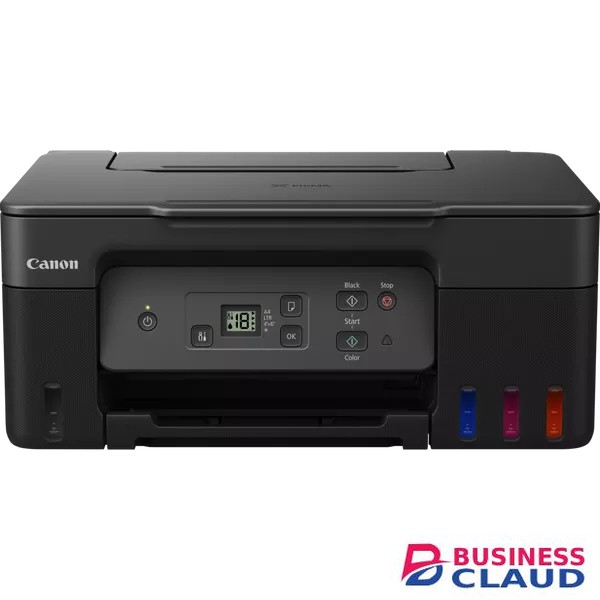
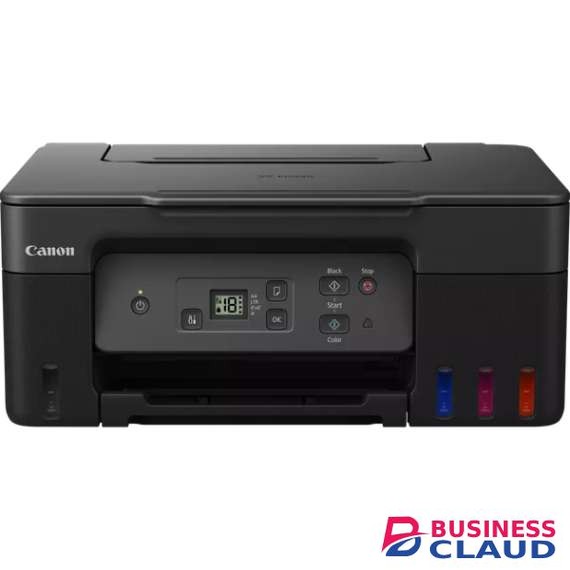
Canon PIXMA G2470 Printer

Canon PIXMA G2470 Printer

General Specifications Functions Print, Scan & Copy Printer Specifications Print Resolution Up to 4800 x 1200 dpi Print Technology 2 FINE Print Head (Black and Colour) Refillable ink tank printer Mono Print Speed approx. 11 ipm Colour Print Speed approx. 6.0 ipm Photo Print Speed Borderless 10x15cm : Approx. 45 seconds Borderless Printing Yes A4, B5, LTR, 4"" x 6"", 5"" x 7"", 7"" x 10"", 8"" x 10"", Square (89 mm x 89 mm), Square(127 mm x 127 mm), Card Size(91 mm x 55 mm) Two Sided Printing Manual operation Cartridges and Yields Standard Ink Cartridges GI-41 GI-41 GI-41 GI-41 Cartridge Yield (Plain Paper) A4 colour documents printing Black: price shown pages (Economy mode price shown pages) Colour: price shown pages (Economy mode price shown pages) * Estimated supplemental yield Cartridge Yield (Photo) 10x15cm colour photo printing Colour: price shown photos * Estimated supplemental yield Maintenance Cartridge MC-G04 (User Replaceable) Paper Support Paper Types "Plain Paper Red Label Superior 80 g/m2 (WOP111), Canon Oce Office Colour Paper 80 g/m2 (SAT213) Photo Paper Pro Luster (LU-101), Photo Paper Plus Glossy II (PP-201) Matte Photo Paper (MP-101), Glossy Photo Paper ""Everyday Use"" (GP-501) High Resolution Paper (HR-101N), Envelope, Photo Paper Plus Semi-gloss (SG-201), Greeting Card (manufactured by Avery and RedRiverPaper), Cardstock (manufactured by Neenah Paper and INKPRESS), Restickable Photo Paper(RP-101) Magnetic Photo Paper(MG-101) Dark Fabric Iron on Transfers (DF-101), Light Fabric Iron on Transfers (LF-101), Double sided Matte Paper (MP-101D)" Maximum Paper Input Rear Tray: Max. price showneets (plain paper) Paper Sizes "A4, A5, A6, B5, LTR, LGL, Executive (184.2 mm x 266.7 mm), Legal(215 mm x 345 mm), 4"" x 6"", 5"" x 7"", 7"" x 10"", 8"" x 10"", Envelopes DL, Envelopes COM10, Envelopes C5, Square (89 mm x 89 mm), Square (127 mm x 127 mm), Card Size(91 mm x 55 mm) [Custom size] width 55 mm - 216 mm, length 89 mm - 1200 mm" Paper Weight Rear Tray: Plain paper: 64 - 105 g/m² Canon specialty paper: max paper weight : approx. 265 g/m2(Photo Paper Plus Glossy II PP-201) Scanner Specifications Scanner Type CIS flatbed photo and document scanner Scanner Resolution (Optical) 600 x 1200 dpi Line Scanning Speed Colour: 3.5 ms/line(300dpi) Greyscale: 1.5 ms/line(300dpi) Scanning Depth (Input / Output) Colour: RGB each 16bit/8bit Greyscale: 16 bit / 8 bit Maximum Document Size A4/LTR Copier Specifications Copy Speed sFCOT: Approx. 23 sec sESAT: Approx. 3.2 ipm Multiple Copy 99 copies (max.) Copy Functions Document Copying, Photo Copying, Borderless copy, 2-on-1 and 4-on-1 copy, Frame erase copy, ID copy Copy Zoom 25 - 400% (in 1% increments) Fit to page A5 to A4, B5 to A4, A4 to A5 and A4 to B5 Interface Display Type & Size 1.2" / 3.0 cm Segment LCD (Monochrome) Connectivity Standard Interface Hi-Speed USB (USB B Port)
from 1 USh 1,327,500.00 Incl. 0.16% VAT
New Sale
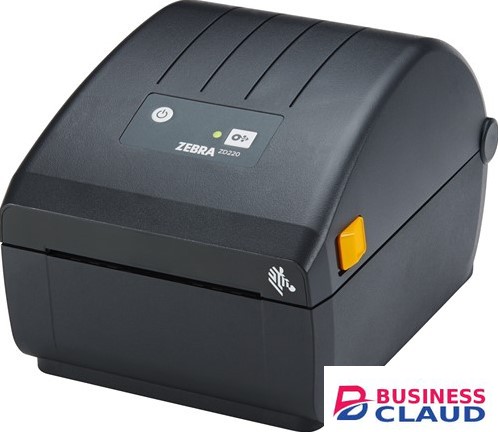
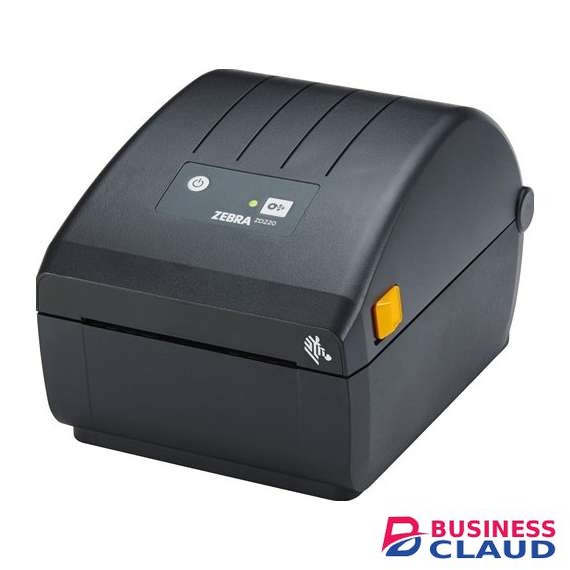
Zebra ZD220 Direct thermal label printer

Zebra ZD220 Direct thermal label printer

Overview Get Printing Quickly The ZD220 is simple to install and begin printing—right out of the box. USB connectivity allows for universal interoperability. Easily replace legacy printers using ZPL, EPL or non-Zebra command languages. And, media changes are expedited with Zebra’s OpenACCESS™ clamshell design. It is ideal for use in transportation and logistics, light manufacturing, retail and healthcare applications to print a variety of tickets, tags, passes, labels and receipts. Basic Features for Simple Operation This 4-inch printer produces labels quickly, at 4 in. per second, to keep your workflows moving. Increased memory allows you to store more fonts and graphics. A single LED indicator and single button for feed/pause make it easy to operate and identify printer status. Choose from direct thermal or thermal transfer models, and add an optional factory-installed peeler. The ZD220 features Print DNA™ Basic, a core set of software applications and capabilities to deliver a cost-effective and dependable print experience. Consistently Exceptional Zebra Certified Supplies Printing supplies can impact everything from printhead lifespan to operational efficiency. That’s why we design, produce and rigorously pretest our own line of thermal printing supplies to ensure consistent, optimized performance in your Zebra printer—and peace of mind for you. For industry-leading quality, service and thermal printing expertise, choose Zebra Certified Supplies. Specification Standard Features • Print methods: Thermal Transfer or Direct Thermal • ZPL and EPL programming languages • Single LED status indicator • Single button for feed/pause • USB connectivity • OpenACCESS™ for easy media loading • Dual-wall frame construction • ENERGY STAR qualified • ZebraDesigner Essentials–easy label design tool free at Businessclaud.com Physical Characteristics Dimension Thermal Transfer: 10.5 in. L x 7.75 in. W x 7.5 in. H 267 mm L x 197 mm W x 191 mm H Direct Thermal: 8.6 in. L x 6.9 in. W x 5.9 in. H 220 mm L x 176 mm W x 151 mm H Weight Thermal Transfer: 3.7 lbs./1.7 kg Direct Thermal: 2.5 lbs./1.1 kg Printer Specifications Resolution 203 dpi/8 dots per mm Memory 128 MB Flash; 128 MB SDRAM Maximum Print Width 4.09 in./104 mm Print Speed 4 in./102 mm per second Media Sensors Movable black mark sensor, limited range from center to left side Fixed off-center gap sensor Firmware ZPL II; EPL 2; XML Media and Ribbon Characteristics Maximum Label Length 39.0 in./991 mm Media Width 1.00 in./25.4 mm to 4.4 in./112 mm Media Roll Size 5.00 in./127 mm outer diameter Core inner diameter: 0.5 in. (12.7 mm) and 1.0 in. (25.4 mm) standard, 1.5 in. (38.1 mm) using optional adapters Thickness 0.003 in. (0.08 mm) min.; 0.0075 in. (.1905 mm) max. (tear-off mode only) Media Types Roll-fed or fan-fold, die cut or continuous with or without black mark, tag stock, continuous receipt paper, and wristbands Ribbon Outside Diameter 1.34 in./34 mm (74 m) Maximum Ribbon Length 244 ft. (74 m) Ribbon Ratio 1:1 ribbon to media (74 m) Ribbon Width 1.33 in./33.8 mm-4.3 in./109.2 mm Ribbon Core I.D. 74 meter ribbon 0.5 in./12.7 mm Operating Characteristics Operating Temp. 40° to 105° F/4.4° to 41° C Storage Temp. -40° to 140° F/-40° to 60° C Operating Humidity 10% to 90% non-condensing Storage Humidity 5% to 95% non-condensing Electrical Auto-detectable (PFC Compliant) 100-240VAC, 50-60Hz; ENERGY STAR qualified Options and Accessories Media Handling Factory installed peeler Real Time Clock None Fonts/Graphics/Symbologies Bar Code Ratios 2:1 and 3:1 1D Bar Codes Code 11, Code 39, Code 93, Code 128, ISBT-128, UPC-A, UPC-E, EAN-8, EAN-13, UPC and EAN 2-or 5-digit extensions, Plessey, Postnet, Standard 2-of-5, Industrial 2-of-5, Interleaved 2-of-5, Logmars, MSI, Codabar and Planet Code 2D Bar Codes Codablock, PDF417, Code 49, DataMatrix, MaxiCode, QR Code, MicroPDF, Aztec Fonts and Graphics 16 resident expandable ZPL II bitmap fonts Two resident scalable ZPL fonts Five resident expandable EPL2 fonts Native open-type font support Unicode compliant for multi-language, on demand thermal printing 50 MB user available non-volatile memory, 8 MB user available SDRAM Printers Supplies For industry-leading quality, service and thermal printing expertise, choose Zebra Certified Supplies to ensure consistent, optimized performance for your Zebra printer. Regulatory IEC 60950-1, EN55022 Class B, EN55024, EN61000-3-2, EN61000-3-3, FCC Class B, ICES-003, FCC 15.209; 15.247(d), IC RSS 247, EN 300 328, EN 301 893, EN 62311, cTUVus CE Marking, VCCI, C-Tick, S-Mark, CCC, CU, BSMI, KCC, SABS, IN-Metro, BIS, NOM Recommended Services Zebra OneCare™ maintenance plans provide peak performance and device uptime while protecting your critical operations and your printers with defined service levels. For more information go to Businessclaud.com ZebraOneCare Essential Comprehensive Coverage, including printheads, normal wear and accidental breakage Priority access 8x5 live technical support and software updates Three-day depot repair turnaround time plus free return ground shipping Online Return Material Authorization (RMA) support Note: Service availability may vary by region. Operating System Link-OS® Basic printer operating system Print DNA Software This printer is supported by a core set of Print DNA Basic applications and capabilities. Zebra Setup Utilities Enhances out-of-the-box experience by enabling quick and easy printer configuration ZebraDesigner Essentials Makes designing and printing industry-standard and compliant labels simple, including fixed or variable data Emulations On-printer apps allow Zebra printers to use legacy languages normally associated with other printer brands For more information please visit Businessclaud.com
from 1 USh 2,203,650.00 Incl. 0.16% VAT