Promotional Banner - Delivery in 2-3 hours, Quality & Original, Delivered

Computers

New Sale
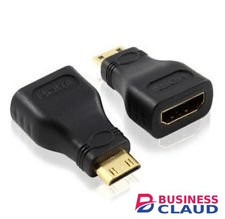
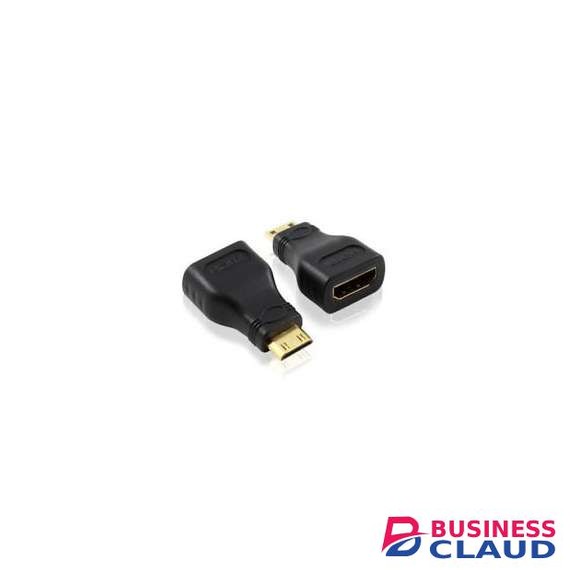
Mini HDMI to HDMI
Mini HDMI to HDMI
New Sale
Microsoft Windows 11 Professional- key only

Microsoft Windows 11 Professional- key only

The Pros of Windows 11 Windows 11 isn't just Windows 10 with a new collection of wallpapers. Thankfully, many other tweaks and improvements make an upgrade to the latest OS seem enticing. That said, the new OS's wallpapers are, indeed, beautiful! 1. Beautiful Glass Windows 11's new desktop aesthetics try to mimic the look of glass. As a result, there's a lot of transparency on many desktop elements, from windows to menus. This transparency goes hand-in-hand with related effects like a background blur, drop shadows, and rounded corners. All GPU-accelerated for a buttery-smooth user experience. It should both be more elegant and snappier than Windows 10. 2. Bar to Dock Like Mac OS and many Linux Desktop Environments, Windows 11's taskbar can turn into a dock. The icons on it can be centered, which helps when using Windows 11 on a touch-enabled device. Fans of the classic taskbar will still be able to align the Start button and app icons to the left. 3. Return of the Widgets Did you prefer widgets, the little floating informational windows in Windows Vista and 7, to the Live Tiles of Windows 10? The new widgets in Windows 11 appear in a dedicated pane, which slides in from the left of the screen. They also seem to be more geared towards presenting information instead of working as mini-apps. 4. Easily-Accessible Snap Layouts and Groups Windows already supported snapping windows to the sides or corners of the screen in rudimentary arrangements. Now, a new and improved version in Windows 11 brings the feature to everyone, placing it in a quick menu hovering over the maximize button. 5. Android Apps on Windows 11 Up to Windows 10, if you wanted to run an Android app or game, you could either remote control your smartphone or run an emulator. Windows 11 will come with support for Android apps baked-in. Theoretically, you'll be able to install almost any Android app or game, click on it, and it will pop up on the screen, almost like native Windows software. 6. Next-Gen Gaming One of the most touted features of the new Xbox and PlayStation is how their CPU, GPU, and storage subsystems are interconnected. DirectStorage is the equivalent for PCs. DirectStorage is expected to eventually lead to massive boosts in performance for applications that juggle vast amounts of data. Auto HDR is also making the jump from the latest Xbox consoles to PCs. It can upgrade the looks of older games by expanding their brightness levels automatically, taking advantage of the entire brightness range of modern monitors. 7. Teams for Everyone A single click on Windows 11's taskbar is all it takes to chat with text, voice, or video with friends and contacts. That's thanks to Microsoft Teams, which Microsoft placed front and center as Windows 11's primary solution for communicating with family, friends, and colleagues. Having a default videoconferencing solution baked into the OS will feel like an excellent addition to many users. Even if, as some may note, there are better alternatives available. Computer Requirement TPM Trusted Platform Module (TPM) version 2.0. Check here for instructions on how your PC might be enabled to meet this requirement.
from 1 USh 185,850.00 Incl. 0.16% VAT
New Sale
Microsoft Windows 11 Professional

Microsoft Windows 11 Professional

The Pros of Windows 11 Windows 11 isn't just Windows 10 with a new collection of wallpapers. Thankfully, many other tweaks and improvements make an upgrade to the latest OS seem enticing. That said, the new OS's wallpapers are, indeed, beautiful! 1. Beautiful Glass Windows 11's new desktop aesthetics try to mimic the look of glass. As a result, there's a lot of transparency on many desktop elements, from windows to menus. This transparency goes hand-in-hand with related effects like a background blur, drop shadows, and rounded corners. All GPU-accelerated for a buttery-smooth user experience. It should both be more elegant and snappier than Windows 10. 2. Bar to Dock Like Mac OS and many Linux Desktop Environments, Windows 11's taskbar can turn into a dock. The icons on it can be centered, which helps when using Windows 11 on a touch-enabled device. Fans of the classic taskbar will still be able to align the Start button and app icons to the left. 3. Return of the Widgets Did you prefer widgets, the little floating informational windows in Windows Vista and 7, to the Live Tiles of Windows 10? The new widgets in Windows 11 appear in a dedicated pane, which slides in from the left of the screen. They also seem to be more geared towards presenting information instead of working as mini-apps. 4. Easily-Accessible Snap Layouts and Groups Windows already supported snapping windows to the sides or corners of the screen in rudimentary arrangements. Now, a new and improved version in Windows 11 brings the feature to everyone, placing it in a quick menu hovering over the maximize button. 5. Android Apps on Windows 11 Up to Windows 10, if you wanted to run an Android app or game, you could either remote control your smartphone or run an emulator. Windows 11 will come with support for Android apps baked-in. Theoretically, you'll be able to install almost any Android app or game, click on it, and it will pop up on the screen, almost like native Windows software. 6. Next-Gen Gaming One of the most touted features of the new Xbox and PlayStation is how their CPU, GPU, and storage subsystems are interconnected. DirectStorage is the equivalent for PCs. DirectStorage is expected to eventually lead to massive boosts in performance for applications that juggle vast amounts of data. Auto HDR is also making the jump from the latest Xbox consoles to PCs. It can upgrade the looks of older games by expanding their brightness levels automatically, taking advantage of the entire brightness range of modern monitors. 7. Teams for Everyone A single click on Windows 11's taskbar is all it takes to chat with text, voice, or video with friends and contacts. That's thanks to Microsoft Teams, which Microsoft placed front and center as Windows 11's primary solution for communicating with family, friends, and colleagues. Having a default videoconferencing solution baked into the OS will feel like an excellent addition to many users. Even if, as some may note, there are better alternatives available. Computer Requirement TPM Trusted Platform Module (TPM) version 2.0. Check here for instructions on how your PC might be enabled to meet this requirement.
from 1 USh 371,700.00 Incl. 0.16% VAT
New Sale
Microsoft Visio Standard 2021

Microsoft Visio Standard 2021

D86-05942 Visio Std 2021 Win All Lng PK Lic Online DwnLd C2R NR Visio Standard 2021 • Create professional diagrams easily with ready-made templates and shapes • Get started quickly with a familiar Office-like experience • Use your finger or pen to draw and take notes naturally on touch-enabled devices • Create database visualizations using built-in database model diagrams • Collaborate with others by adding and replying to comments directly within Visio Turn complex ideas into clear visuals Easily create versatile diagrams, organization charts, maps, workflows, and home or office plans using a rich set of shapes and templates. Add comments and share diagrams with anyone across your organization. Get started quickly with ready-made templates and thousands of customizable shapes Collaborate with others and share diagrams seamlessly Familiar Office interface that helps you build diagrams more efficiently Create and share professional diagrams Versatile templates and thousands of shapes Choose from dozens of templates, including built-in wireframes, and thousands of customizable shapes to transform numbers, ideas, and other data points into coherent and impactful stories. In-app commenting Associate comments with specific shapes for clearer stakeholder feedback. Simple, secure sharing Share your diagrams from secure online repositories, like OneDrive for Business and SharePoint (sold separately). In-app commenting Associate comments with specific shapes for clearer stakeholder feedback. Simple, secure sharing Share your diagrams from secure online repositories, like OneDrive for Business and SharePoint (sold separately). Versatile templates and thousands of shapes Choose from dozens of templates, including built-in wireframes, and thousands of customizable shapes to transform numbers, ideas, and other data points into coherent and impactful stories. Simple, secure sharing Share your diagrams from secure online repositories, like OneDrive for Business and SharePoint (sold separately). Versatile templates and thousands of shapes Choose from dozens of templates, including built-in wireframes, and thousands of customizable shapes to transform numbers, ideas, and other data points into coherent and impactful stories. In-app commenting Associate comments with specific shapes for clearer stakeholder feedback. Additional benefits Data-driven diagramming Automatically generate org charts from data sources like Excel, Exchange, or Azure Active Directory. AutoCAD support Ability to import DWG files, including enhanced file format support. Flexible editing Change shapes in existing diagrams without losing your layout and shape connections, making it simple to adjust the look of our diagram without losing the work you’ve already done.
from 1 USh 2,124,000.00 Incl. 0.16% VAT
New Sale
Microsoft Visio Professional 2021

Microsoft Visio Professional 2021

D87-07606 Visio Pro 2021 Win All Lng PK Lic Online DwnLd C2R NR Visio Professional 2021 • Create professional diagrams easily with ready-made templates and shapes • Build and validate diagrams that support industry standards, including BPMN 2.0 and UML 2.5 • Use your finger or pen to draw and take notes naturally on touch-enabled devices • Create database visualizations using built-in database model diagrams • Collaborate with others by adding and replying to comments within Visio • Link diagrams to live data from internal and external sources Turn complex ideas into clear visuals Work as a team to easily create and share data-linked diagrams to bring your ideas to life. Get started quickly with ready-made templates and thousands of customizable shapes Collaborate with others and share diagrams seamlessly Connect diagrams to real-time data to gain insights and make decisions quickly Create and share professional diagrams Supports industry standards Visio’s huge shape library supports Unified Modeling Language (UML) 2.5, Business Process Model and Notation (BPMN) 2.0, and Specification and Description Language (SDL). Easy data linking Connect your Visio shapes and diagrams to data from common internal and external sources. Insert data graphics or use formatting to reflect changes in the underlying data in your diagram. Simple, secure sharing Share your diagrams from secure online repositories, like OneDrive for Business and SharePoint (sold separately). Easy data linking Connect your Visio shapes and diagrams to data from common internal and external sources. Insert data graphics or use formatting to reflect changes in the underlying data in your diagram. Simple, secure sharing Share your diagrams from secure online repositories, like OneDrive for Business and SharePoint (sold separately). Supports industry standards Visio’s huge shape library supports Unified Modeling Language (UML) 2.5, Business Process Model and Notation (BPMN) 2.0, and Specification and Description Language (SDL). Simple, secure sharing Share your diagrams from secure online repositories, like OneDrive for Business and SharePoint (sold separately). Supports industry standards Visio’s huge shape library supports Unified Modeling Language (UML) 2.5, Business Process Model and Notation (BPMN) 2.0, and Specification and Description Language (SDL). Easy data linking Connect your Visio shapes and diagrams to data from common internal and external sources. Insert data graphics or use formatting to reflect changes in the underlying data in your diagram. Additional benefits Flexible editing Change shapes in existing diagrams without losing your layout and shape connections, making it simple to adjust the look of your diagram without losing the work you’ve already done. Real-time presence indicators See where co-authors are working in the canvas with a simple presence indicator for files saved in the cloud. Simultaneous teamwork See who’s working on which part of the diagram, get notifications about changes, and choose when to merge those changes into the master file. Supports multiple data sources Visio supports Microsoft Excel workbooks, Microsoft Access databases, Microsoft SharePoint Foundation lists, Microsoft SQL Server databases, Microsoft Exchange Server directories, Azure Active Directory information, and other OLEDB or ODBC data sources. Data-driven diagramming Automatically generate org charts from data sources like Excel, Exchange, or Azure Active Directory. AutoCAD support Ability to import DWG files, including enhanced file format support.
from 1 USh 4,088,700.00 Incl. 0.16% VAT